
MORE IMAGES > DOWNLOAD THE PDF
perms = COPY MOD noTRANS
foot print = 102x100x134 (tall) meters
prims = 1577 (with the furniture, can be removed)
------------------------------------------------------------------------
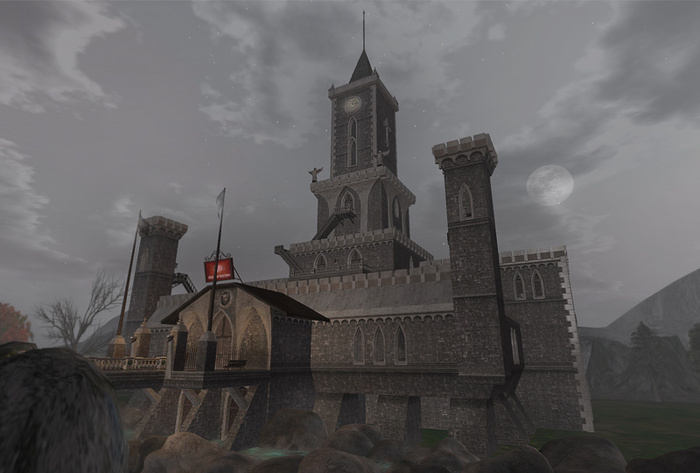
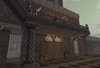
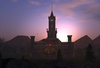
Here is another impressive building by RKTFdesign the "Abraxas Tower", with 7 floors plus a system of tunnels in the lower part.
Lowering its drawbridge, you are in a huge lobby with a central statue, 2 fountains and plenty of space for shops or whatever you can think of. The two stairs on either side leads to a large balcony where you will find 5 towers.
The two small towers at the front are ideal for monitoring the entrance of the palace, the other 2 big towers on either side have a kitchen and living room full furnished.
From the central tower leads to a beautiful lounge for parties with a piano, up the stairs you come to another saloon with a bar and a balcony from which you continue to go up in the tower...
You will find in this floor another room with a throne, still up the stairs to the fifth floor where you enter, from it's small balcony, to another room, inside there's a spiral staircase leading to the sixth floor where you can admire a stunning 360° view from its outdoor walkways. Inside the room on the sixth floor, a system of stairs leads to the top of the tower where there is a small and lovely chapel.
All the magic of this construction it can be admired only "InWorld" ... to have all for themselves and share with everyone.
DOORS USE (Central Control):
All doors come with AeonVox system control (with documentation) for have the most customizable access.
Central Control & doors quick use:
- Left-click and hold over the door, after a few short moments your setup menu will appear.
- To manage all the doors with 1 click use the "Central Control" your setup menu will appear.
- The Central Control is divided in group of doors (internal, external, rooms, etc).
LIGHT SOURCES USE
NOTE: For all these lights that not have a switch, stand near the source of light that want control and say the command in local chat, without quotes! (can also "shout", so not need be near each group of lights):
- EXTERNAL Torchs & Lamps turn ON/OFF in automatic with SL TIME, anyway respond to the command "light on / light off"
- INTERNAL Torchs, Lamps & Candelabras use the command "lamp on / lamp off"
- The "Nautical Lamps" and "Table Candles" have a switch to turn on / off.
- The 2 Fireplaces use the command "fireplace on / fireplace off"
IMPORTANT FOR REZZ THIS BUILD:
NOTE: This building was designed to put it on the water (although it can be used on land, in effect, is provided with walkways to go walking through a tunnel to another), where its subterranean tunnels are surrounded with water and then be able to go with a boat inside them. The entrance is raised, so you need do a terraform in the opposite side of the bridge to get the access.
1- Place the rezzbox at the ground in a large space (need at least 1/2 Sim).
2- Rezz the build by click the box and then "REZ", wait the message in local chat "All parts rezzed"
4- Drag (move) or rotate the rezz box until you find the desired position
5- When finish to place the build, and all is ok, click again the rezzbox and then click "DONE" (for remove the scripts of the rezzer), then can delete your rezzbox.
If need help for rezz and place the build feel free to contact me.
If you have some question i will be glad to help you, just drop me a notecard: rokoloco72 Zapatero
Download instructions See item in Second Life