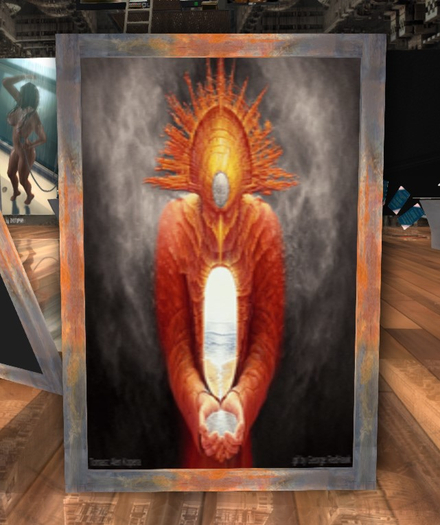


this gift is a limited no mod version of the Animate pictures board
features of the full version:
PRE LOAD WITH 30 AMAZING MOVING PICTURES
** HOW TO USE **
- touch the right side of the image to move up
- touch the left side of the image to move dw
- click the board frame to get the HUD
with the Hud you can:
- set slideshow to auto manual
- set slideshow cycle time
- set frame texture ( 24 textures )
- set bright on / off
- set shadow on / off
to change the size:
- right click the poster and chose edit
- use the 'Stretch option' to change the size
to add pics:
- right click on it and chose 'edit'
- left click on 'Content'
- drag your photos from the inventory to there
second way:
- open you pic and copy the uuid
- open the 'Anim Pics List' notecard and add the uuid to the list
- save the notecard
note:
the 'Pics list' notecard have priority over the textures drop, that means
if you want to use the drop textures method you have to delete the notecard
first ( make sure that you have copy it to your inventory before delete )
you can change the textures of the following faces
texture faces:
0 - board back
1 - frame side
2 - frame front/back
3 - move dw (transparent)
4 - main image 1
5 - main image 2
6 - move up (transparent)
7 - shadow
**********************************************************************
Let me know if you have any problem ( just by notecard )
pedrosilva2014
**********************************************************************
** HOW TO UPLOAD GIFS TO SL **
- search internet for 'gifs' ( one place is: https://gifer.com/en/gifs/art )
- download the image to the hardrive
- make a search on google for 'gif to sl'
- you must look for this page:
https://www.outworldz.com/Secondlife/Posts/Gif/Create-Gif-in-Second-Life.htm
- download and install the gif converter ( follow the instrucions there )
- after submit the image you have saved you will get a new image with the information of number of lines and number of columns, take note of that numbers.
- upload the image to sl (10L) like you use to do with normal images.
- the image will be on your textures folder, open it and copy the 'uuid'
- open the 'gifs_list' notecard on the board and add :
texture-uuid, number of lines, number of columns
sample for a 5/8 image: 89556747-24cb-43ed-920b-47caed15465f,5,8
- save the notecard and reset the scripts to finish.
