![[Curlex] Working Climbing Axe w.Markers](https://slm-assets.secondlife.com/assets/16158251/lightbox/SellSign_ClimbingAxeMainImageMarketplace.jpg?1485293790)

Starting: To begin climbing you must first approach a prim thats at a minimum of stomach height, when close enough you will automatically draw your climbing axe. Climbing and Movement works in no build zones, so you can go mostly anywhere.
Climbing: To start climbing simply press Q to hook and unhook into a prim(Warning: Do NOT hold the climb gesture!)
Movement: To start moving while climbing simply press E to go up, Shift+D(or right arrow) to go right, Shift+A(or left arrow), turning around or not facing the wall will cause you to leap off the wall.
Dragging: If you are moving too quickly, such as falling fast, when you hook onto a prim you will begin sliding and dragging your axe in the wall.
Crouch Key: If you would prefer to use the crouch key to climb, melee, or throw you can use the command /1.c to change the crouch key's action.
Throwing and Melee: Using the included gestures you can melee with F and throw the axe with V.
Markers: Markers are simply just cosmetics, they are placed down then glow and emit a light while the flag attached to them blows in the wind. Markers are placed in Mouselook and the rotation will be determined by the rotational direction of the face of the prim you are looking at.
Note: You can only have three markers down at one time and they will delete after 180 seconds.
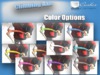
Changing Skins/Colors: To change your skin/color simply type /1.axeskin#
example: /1.axeskin8 (this would change to a black skin)
Note: There are 9 skins/colors to choose from.
Resetting: In case of script problems just type /1.axereset
[ Updates ]
➤ Each time you attach or login to second life, a refresh will be sent to the product update server. If there are any new updates available the newest version will be sent to you automatically.
- Climbing Axe and Climbing System
- Recolorable
- Works in no build zones
- Gesture Controlled
- Melee & Ranged Weapon


Very useful and fun item!
This allows you to climb around with realistic sounds and physics. After a while hanging, you'll realistically loose strength and fall down. You can even use it as a melee weapon or throw it.
I'd love to be able to turn on/off the auto draw as it can get a bit excessive if you're walking around tight interiors such as narrow corridors. Maybe being turned on/off through gestures?
Another tiny detail is that the axe will still be red(the original color) if you throw it even if you have set a different texture for it.
Aside from these almost irrelevant cons, you should definitely buy it!
Outstanding!
VERY low lag, excellent control scheme, not intrusive, and some really nice, gritty sounds. It doesn't LOVE mesh, but usually works with it until you hit extreme shapes.
SUPER REALISTIC
EXCELLENT PRODUCT, SOUND PERFECTLY AND THE ANIMATIONS ARE ALSO GREAT!!
Lit
As with all of Curlex's products, super impressed. Cheap price and worth all of it. Would recommend 10/10 bro.
I'm the Tomb Raider now
Great item, very fun to use. Animations and scripting are top notch!
Awesome item!
Very cool item, fun to use. Great animations and sounds
Overall Great Buy :)