

The Donate-N-Tip script lets you turn any object into a donation box or tip jar.
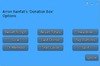
When you first insert the Donate-N-Tip script, it will load a basic default configuration. To personalize the configuration, click the object containing the script, and the main menu will appear. The following is a list of options displayed on the main menu and a description of what they do:
Reset Script: Resets the script, reverting everything back to their original settings.
Reset Totals: Resets the total donated and last donated amounts, preserving the other settings of the script.
Headline: Allows you to set a custom hovertext headline. By default, this is set to "Donation Box", but you can set it to what you prefer. You can even use multiple lines.
Goal: This will set a goal amount. The goal amount will be shown within the hovertext, as well as the amount needed to reach the goal. Entering 0 will remove the goal and the goal will no longer be shown in the hovertext.
Last Donor: Lets you decide whether or not the last donor's name should be displayed in the hovertext.
Pay Buttons: Allows you to set your own custom pay buttons. You do so by entering 4 comma-separated values. For example: 30, 60, 90, 120.
TY Method: Lets you determine how the donor will be thanked. The options are: None, IM, Whisper, Say, Shout. When using Whisper, Say, or Shout, the object will thank the donor in local chat up to 10 meters, 20 meters, and 100 meters respectively.
By default, this option is set to Say.
Text Color: Lets you choose between 9 different colors from which the hovertext will be displayed.
Split: Allows you to type the username or legacy name of someone you want to split tips/donations with. After verifying that the name you typed is valid and exists, half of all tips/donations will be paid to that person. In the case of splitting an odd amount, the amount paid to the other person will be rounded down. For example, a L$25 tip/donation will result in the other person being paid L$12. To disable Split, you would simply leave the field blank, then click submit.
When first using the Split feature, it will request debit permission. Scripts in Second Life require debit permission to pay other avatars on your behalf.
Please note: The script will retain its settings between object rezzes. This is so you can relocate your objects, without losing its current settings.
- Use for donation boxes and tip jars.
- Set custom headline.
- Set a goal amount.
- Set custom pay buttons.
- Set hovertext color.


Working great
After buying a few this one is great and works perfectly
Awesome Tip Script!
This tip script is awesome! Just put the script in any object to make that a tipping object.
I've been using a tip jar that was nice but didn't have a reset totals option. So, when I wanted to do a reset, I had to delete the jar and rez a new one to start over.
Not only does this have a reset totals option but also other nice menu driven options.
I give this script 5 stars.
Now even better! Just perfect in every way!
My friend Mizuki told me about this script and so I got one too. It's brilliant and simple to use like she said. Insert it in any mod object you want to turn into a tip jar. Mine is in a lucky cat :) This one actually: https://marketplace.secondlife.com/p/sinBin-Lucky-Cat/16735154 Works great!
One suggestion (don't know how possible this is)... whether a future revision could include an option to raise the height of the whole text area higher in relation to the object it's inserted in? My friend's object it hovers right above just fine; but with mine, it's a bit in front of the face of the cat. Just a thought to further refine an already wonderful script. And not a complaint, so no stars deducted, hey I'm a happy customer :)
Thank so much Arron, where would SL be without scripters like you who are generous with their time and skills!
EDIT: I first wrote this review two years ago, but eventually I had a suggestion for a small modification. The creator modded it perfectly to make it even more user friendly, within a few days of me messaging him. This is worth so much more than Arron is asking. I have fiddled with tip jar scripts I found online and in LSL, but at this price (or even 20 times more!) save your time and energy and just use this. You won't get better! Thank you Arron, and Happy New Year :)
Best Donation Script!
User-friendly menu. No scripting skills required. Meaning you don't need to modify the script! (Not that you can anyway, it is no mod)
I would like to be able to make my own custom Thank Message though. Other than that, this script is perfect as it is!
Added as Favourite Store. I will definitely be checking more of Rainfall's Gadgets!
Simple and easy for non-tech types to use!
This script is great. It can be inserted into any modifiable object to use on your land to invite donations - I put it on my jetty in a mooring bollard. Thank you for making it easy!
Brilliant!
This is amazing! The fact that it comes simply as a script that I can insert into any mod object is such a bonus, and the script gives so many options. Even the long message I can leave in the title of the object is wonderful. Just love this, and at a brilliant price too. Thank you Arron!!