
If you create interactive food, props, or wearable roleplay items, you already know how important smooth automation is. Nobody wants to click buttons every time they use an object. Nobody wants messy setup, confusing controls, or scripts that behave unpredictably. What you really want is something simple, reliable, and ready to work the moment it’s worn.
That’s exactly what this Auto-Eat Animation LSL Script is built for.
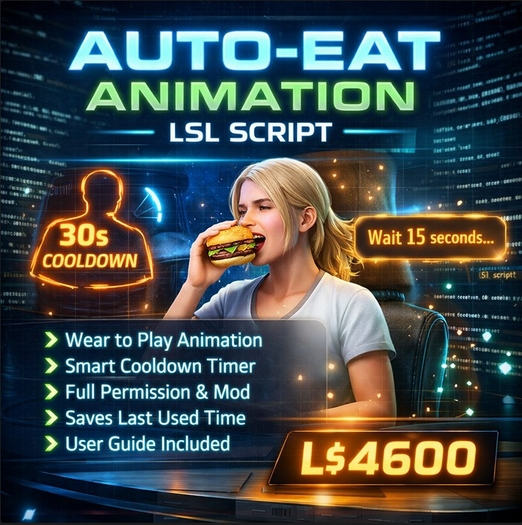
This is a professionally written, full-permission script designed to trigger an eating animation automatically when an object is attached. No touch required. No menus. No extra setup for the user. Just wear the item — and the animation plays.
It feels natural. It feels immersive. And most importantly, it feels effortless.
Whether you’re building food props, roleplay accessories, lifestyle items, or interactive decor, this script gives your creation a polished, responsive behavior that users instantly understand. Attach, animate, enjoy.
Built for creators who want control
Because this script is full permission, you are free to modify, resell inside your products, customize, and expand it however you want. You’re not locked into a rigid system. You can adapt it to match your brand, your design style, or your product line.
Want shorter cooldown? Change one number.
Different animation name? Edit one line.
Need to integrate with a larger system? The code is clean and structured for easy editing.
It’s designed to be practical, readable, and creator-friendly.
Automatic animation trigger
The core behavior is simple but powerful: when the object is worn, the script requests animation permission and immediately plays the animation stored inside the object. That means the user experience is seamless. No learning curve. No instructions needed beyond “wear it.”
This makes your product feel responsive and alive. Perfect for food items, snacks, drinks, roleplay consumables, or anything that should react the moment someone equips it.
Smart cooldown system
One of the most useful parts of this script is the built-in cooldown timer. After the animation plays, the script records the time and prevents the animation from triggering again until the cooldown expires.
Why does this matter?
Because without a cooldown, users could accidentally spam the animation by reattaching the item repeatedly. That breaks immersion and can create performance issues. This script prevents that automatically.
Even better — the cooldown persists. The script stores the last use time inside the object description, so detaching and reattaching won’t reset the timer. This creates realistic behavior and prevents abuse.
You can adjust the cooldown to any length you want, from a few seconds to several minutes.
Clean and reliable permissions handling
Animation permissions are requested automatically when the object is attached. If permission is granted, the animation plays. If the cooldown is still active, the user receives a clear message telling them how long to wait.
No confusion. No silent failures. Everything behaves exactly as expected.
This makes the script ideal for commercial products where reliability matters. Customers don’t need technical knowledge. Everything just works.
Includes complete user guide
The package includes a clear setup and usage guide so buyers can install and operate the script without guesswork. This makes it easy for both beginners and experienced creators to integrate it into their projects.
The guide explains:
• How to install the animation
• How to add the script
• How to change animation names
• How to adjust cooldown time
• How to test functionality
• Common troubleshooting steps
This saves time, reduces support requests, and helps your customers succeed quickly.
Designed for product creators
If you sell mesh food, wearable props, roleplay items, or interactive accessories, this script instantly upgrades the value of your product. Automatic animation behavior makes items feel dynamic instead of decorative.
Customers notice that difference.
A static object is something you look at.
An animated object is something you experience.
That small change dramatically improves immersion, engagement, and perceived quality.
Lightweight and efficient
The script is optimized for simple, stable performance. It does one job and does it well. No unnecessary complexity. No heavy processing. That makes it safe to include in large builds, multi-item packs, or commercial product lines.
Perfect for many use cases
This system works beautifully with:
• Food and drink props
• Roleplay consumables
• Lifestyle accessories
• Avatar interaction items
• Event giveaway items
• Commercial product packs
• Animation-based experiences
If an object should trigger an eating action when worn, this script handles it cleanly.
Professional structure, ready to expand
- ✔ Automatic animation when worn (no touch needed)
- ✔ Built-in adjustable cooldown system
- ✔ Full permission for modification and resale
- ✔ Persistent timer saved inside object
- ✔ Includes complete setup user guide