![[Ek.S] Media Player](https://slm-assets.secondlife.com/assets/38060986/lightbox/REPRODCUTOR%20MP3.jpg?1768940975)
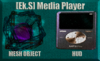
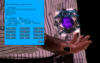

This is a sound player that uses a notecard loaded with the UUIDs of your favorite audio files. It's easy to program and becomes an entertaining music MP3 player to share with friends, or you can add it as a HUD for private listening. It's lightweight, consisting of only 2 scripts for the handheld object and just 1 script for the HUD version.
It features a small HUD to switch the object's texture between fuchsia and purple.
Add the object and load it with your favorite music notecards. You don't need to restart the script or the object; the player automatically detects each new notecard added.
You can use the player in private mode, where only the owner can control it, or you can set it to public so your friends can choose the songs they like best.
It includes all playback buttons: next, previous, forward track, previous track, pause, stop, random/shuffle button, a button to hide or show the floating text, a button to manage the volume level, and private/public mode toggle.
NOTE: This is only a player; it does not come pre-loaded with songs. It includes only one example track to facilitate initial use.
To configure your notecard, simply follow these small steps:
name|Song Name (This will be displayed in the floating text)
volume|1.0 (Do not change this parameter)
clips|UUID1,UUID2,UUID3,UUID4... (Add each UUID, separated by commas)
times|30,30,30,10... (Add the duration of each audio clip, separated by commas.)
Unlimited note card.
The notecard's name is what will be shown in the control menu's song list, and the name you set in the notecard configuration (name|) is what will be displayed on the player's UI. Use short names for better visualization.
See item in Second Life View Video »