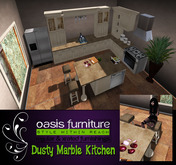
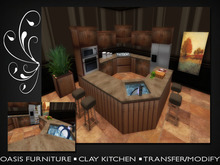
![Everglade Kitchen [Regular] No Copy](https://slm-assets.secondlife.com/assets/15437885/lightbox/Everglade.jpg?1477853542)


BROUGHT TO YOU BY OASIS FURNITURE!
I no long have a store in world so all of my creations are on the marketplace for SUPER CHEAP! Check out the rest of the listings to furnish your entire home well under budget.
This is the REGULAR version of this kitchen.
There are also straight, lesbian, and gay versions available of this kitchen on the marketplace!
FEATURES
======
•Tap can turn on with the click of a button!
•Accessories are included (Canisters, Dishes..)
FRIDGE
=====
• Both doors of the fridge can open to reveal the inside!
• You can click the interior of the fridge and get a menu for your choice of snack.
• Simply accept the snack and wear it.
PERMISSIONS
=========
• Modify & Transfer.
SOME THINGS TO KNOW
===============
•There are four poses to choose from inside the stools. When you sit on the stools, a menu will pop up in which you can choose a different sit. To choose a different sit again, simply stand up and sit back down. **IF YOU NEED TO ADJUST WHERE THE SITS ARE, PRESS PAGE DOWN**
•The SINK and CUTTING BOARD contain poses for washing dishes and chopping. Click the cutting board for a carrot and knife, and click the dish rack for a sponge and plate. Sit on the cutting board and sink prims to use these animations.
•Click the burners on the stove to turn them on.
•The dishwasher door opens and closes.
•Fridge gives out food.
PRIMS
=====
•All items can be put out separate giving you the option to have no counter items out or all of them.
•Kitchen: 48 Prims.
•Cutting Board: 7 Prims.
•Utensils: 6 Prims.
•Fruit Bowl: 5 Prims.
•Stools: 1 Prim Each.
•Floor: 2 Prims.
•Dish Rack: 7 Prims.
•Flower Pots: 5 Prims.
•Painting: 4 Prims.
•Fridge: 4 Prims.
•Frying Pan: 3 Prims.
•Pot: 4 Prims.
•Salt & Pepper: 4 Prims.
•Misc Shelf Items: 10 Prims.
TEXTURE CHANGE FEATURE
===============
•To change textures, click the white control box on the side of the kitchen.
•Generally, you can change more than one set of objects. (Example: On the kitchen you can change the counters, base, and cabinets).
WHAT IS THE ACCESS BUTTON ON THE COLOUR CHANGE MENU?
======================================
•The access button allows you to set permissions on who has access to the texture change menu.
•When you receive your kitchen, it should already be set so that anyone can use the menu.
•To change the permissions, simply click the white back, click access, then select a level of permission.
•If you choose to use the "authorized only" permission you must place the names you want to be able to access the menu in the notecard that is inside the object.
If you wish to see this kitchen in person, just send me an IM.
<3 Krista Lawson, Oasis Furniture Owner
Keywords: Kitchen, Home, House, Lesbian, Gay, Straight, Furniture, Kitchens, Stools, Decoration, Fridge, Sink.