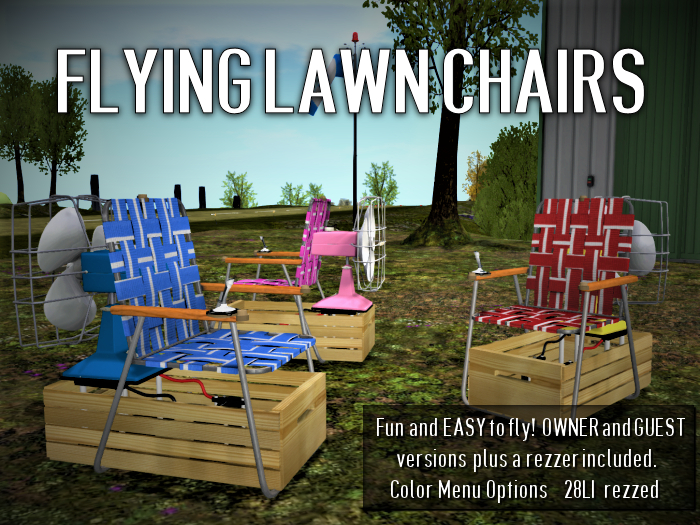

Made from the finest antiques from the local thrift store the Flying Lawn Chair is an effortlessly fun flying toy. Made with our patented KISS technology to eliminate the need for overly complicated manuals, multiple HUDs, the memory of a elephant, and 6 extra fingers to be able to operate. The Flying Lawn Chair is so simple it doesn't even have a fancy name like "ZFX-47C BalloonHawkFalconWasp"
It's just a freaking Flying Lawn Chair.
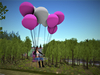
Sit and the balloons inflate, the battery powered fan starts and off you go! Use the WASDEC keys or the Arrow and Page Up/Down keys to move.
To land:
Hover over the spot you want to land.
Stand up.
The balloons pop and the fan shuts off.
The chair will drop a few meters as a physical object to rest on whatever solid surface you were floating over.
(Rezzer versions will self delete when the pilot stands)
When the balloon is NOT flying, you as the owner can change the color scheme of the chair. The chair webbing, the body of the fan, and the balloons all have color options via a touch menu. Any time you open the color change menu the balloons become visible. They hide again if you close the menu from the menu options (or if you sit on and stand from the chair.)
There are three (3) versions in the box.
The first is an "Owner Only" version only you can fly.
The second is a "guest" version anyone can fly that turns temp when sat upon so even if someone flies it far away and leaves it someplace where scripts are not running it will automatically delete when they stand up.
Third is a "rezzer version" you can opt to use in a rezzer where the chairs are already temp when they rez.
Also in the box is a rezzer mat. Touching the mat will rez a chair that anyone can fly and is temp, so they are self cleaning.
To add a little realism the chair will drift slightly with the wind while hovering.
(The mesh components were all purchased fully permissive from other creators and are in keeping with their user license(s). The flying and menu scripting are mine.)
Demo rezzer available at our location below
Ver el artículo en Second Life