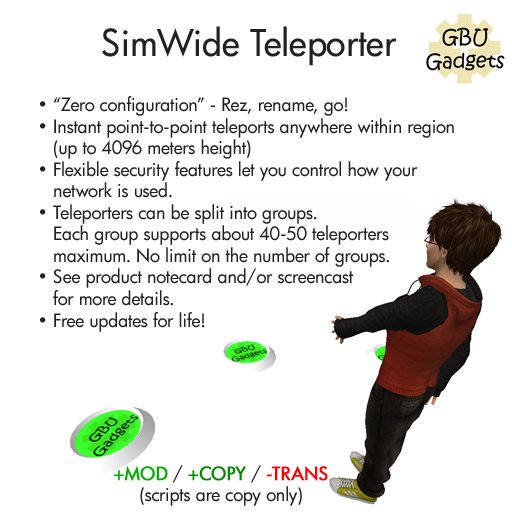

** NOW FREE! Get it while it lasts! **
The GBU SimWide Teleporter is very easy to setup and use. All you need to do is:
1. Rez a teleporter pad wherever you want people to be able to teleport from/to in your sim (up to 4096 meters high).
2. Edit the teleporter and change its name to something meaningful (like "Dance Floor", etc.)
For basic usage, that's all you need to do!
There is a walkthrough video showing all the features (see video link below).
FEATURES:
=============
* Instant point-to-point teleport anywhere within a region (up to 4096 meters height).
* Painless setup -- Rez, Rename, Go!
* Flexible security features to let you control how your network is used.
SYNCING THE NETWORK
========================
When you rename or delete a teleporter, it can take up to 5 minutes for the changes to propagate
to the entire network (this delay is used to reduce lag on the sim). If you make a change and don't want to wait for the auto-resync, simply touch any teleport pad, select "Options", then select "Resync".
This will resync ALL of your teleporters in the sim, regardless of any other settings, so you can
pick any teleporter to do this.
ADVANCED FEATURES
==========================
There are a number of features in the teleporters to let you control who can access your teleports.
To change them, edit the teleporter and open the "(SETTINGS)" notecard.
(SETTINGS)
========
LOCKED
yes: only you can change destination
no: anyone can change destination
ALLOW-INCOMING
yes: allow anyone to teleport TO this pad
no: only allow YOU to teleport TO this pad
ALLOW-OUTGOING
yes: allow anyone to teleport FROM this pad
no: only allow YOU to teleport FROM this pad
AUTO-REZ
yes: auto-rez a new teleport ball after each use
no: make each user choose a destination
When set to YES, a teleport ball will be regenerated automatically after someone uses the pad, with the ball set to the same destination previously used.
When set to NO, the teleport ball is NOT auto regenerated. In other words, the next person using the pad must select a destination from the menu.
NOTE: The teleporter system is smart enough to know when to disallow auto-regeneration without you telling it. For example, if you set destination ABC to "no incoming", and then teleport there, the system will know NOT to regenerate a teleport ball since that destination is restricted. If the teleporter is set to "no outgoing", it will also not regenerate a ball in that case.
These above settings are meant to provide you with tools you can creatively use to set your own security policy. Play around with the settings to get a feel for the power that these settings provide you.
GROUP
By default, all teleporters in a region will join the same network. However, you can change the GROUP name to split teleporters into multiple groups.
For example, if your sim is split into club, beach and home areas, you could use group names "club", "beach" and "home" to split up the teleporters into different networks so someone at the beach can't use the network to teleport to your home, etc.
NOTES/GOTCHAS:
=======================
* Supports a maximum of about 40-50 teleporters per group in a region. There is no limit on the number of groups you can have.
* Teleporters may fail if rezzed at (or above) 4096 meters. This appears to be an SL limitation.
* Teleporter pads must be rezzed in an area where you have rights to run scripts. Rezzing teleporters across areas that require DIFFERENT group tags to run scripts may cause strange behavior due to access settings on land.
* This teleporter CANNOT cross sim boundaries. All pads must be within the same region.
============================
That's all for now! If you have any suggestions for new features, IM me anytime!
Future upgrades will always be free.
Atom Ghost
GBU Gadgets
www.gbugadgets.com <-- for landmark


Works Perfectly
Thank you!
Scripted incorrectly
When setting and making a group category does not send you to the correct TP. This is useless to me.