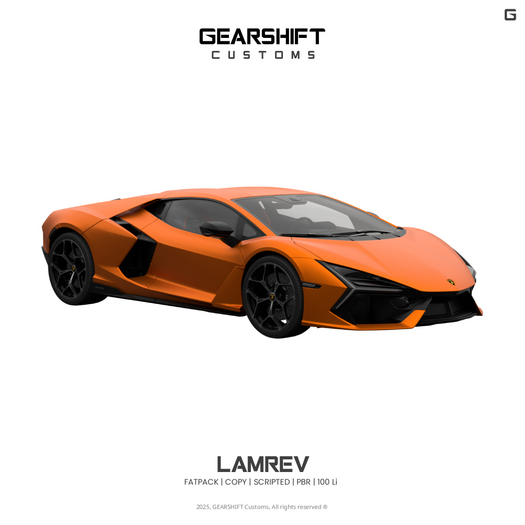


GEARSHIFT VEHICLE — USER GUIDE
Overview
Thank you for choosing GEARSHIFT. This guide covers setup, HUD functions, driving controls, customization, and support.
Getting Started
- Sit/Drive: right-click the vehicle and select “Drive.”
- HUD Access: left-click the vehicle to open the HUD menu.
- Exit: select “Get Out” from the HUD main menu.
HUD Main Menu
- Sit Position
- Lock
- Lights
- Passenger
- Customize
- Get Out
Sit Position
- Position: adjust with +X / −X / +Y / −Y / +Z / −Z
- Rotation: use Rotation to fine‑tune seat orientation on the same axes
Lock
- Lock: restricts operation
- Unlock: allows open use
- Group Use: permits operation by members of your active group
Lights
- Head Lights: toggle on/off
- Warning: toggle hazard flashers
- Note: brake, reverse, turn, and running lights are automated
Passenger
- Allow/Disallow: enable or restrict passenger seat access
- Eject: remove a specific passenger when seated
Customize
- Gear Type:
• Page Up / Page Down mode, or
• Double‑Tap mode (double‑tap Up Arrow to upshift; Down Arrow to downshift)
- Down Force:
• Adjust effective vehicle weight to suit slopes and terrain
- Paint:
• Choose from 7 preset colors for both exterior and interior
- Cosmetics:
• Glass: adjust window tint
Driving Controls
- Start Engine: Page Up
- Stop Engine: Page Up + Page Down
- Neutral:
• Up Arrow: throttle blip
• Hold Page Down: burnout
• Page Down (tap): engage Reverse
- Drive Forward:
• Page Up to shift up (max gear = 3), then Up Arrow to accelerate
- Reverse:
• Engage Reverse (as above), then Up Arrow to move backward
- Steering: Left/Right Arrow to turn
- Drift: double‑tap Left or Right Arrow while driving
- Top Speed: optimized for everyday road use (not racing). For maximum performance, contact GEARSHIFT for tuning.
Quick Tips
- Can’t drive? Check Lock settings or enable Group Use.
- Slipping on hills or rough terrain? Increase Down Force.
- Headlights: toggle via Lights > Head Lights; all other signals are automatic.
- Keep seats private: set Passenger to Disallow; use Eject if needed.
Tuning & Bespoke Service
- Custom colors, parts, or mesh available through our bespoke program.
- Contact: IM GEARSHIFTMotorsport or DM our Instagram for an invoice.
Support
- For tuning, performance upgrades, or assistance, contact GEARSHIFT.
- FATPACK
- PBR
- Scripted
- © 2025 GEARSHIFT Customs. All Rights Reserved.
