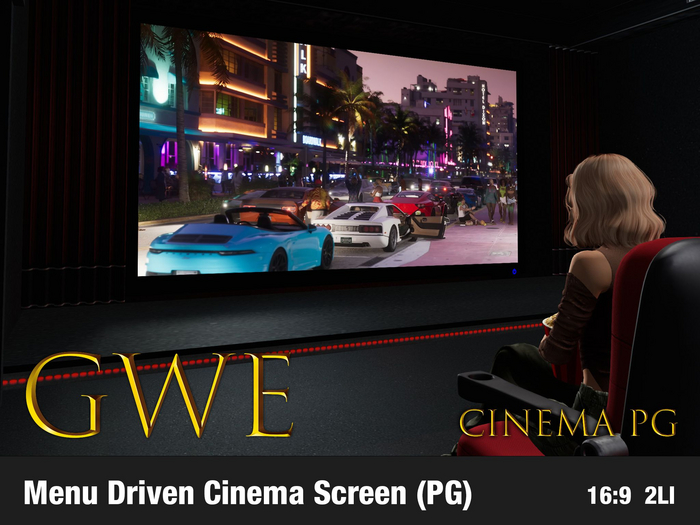


GWE Cinema is a basic, menu and notecard driven television that allows you to watch same videos with your friends even at same time*. Also like a true cinema screen, it allows you to watch without video controls or URL on your screen and disable or enable access by your guests with Ambient lighting.
It is not a complicated, all-in-one service or webpage browser. You can write your URL or just create a notecard with category and name of your video with URL and that's it. Note that, on some SL viewers you need to double click on the screen at first to to see player screen.
PG version supports embedding directly as URL from following services:
- Youtube
- Dailymotion
- X (aka Twitter)
- Twitch
- Kosmi.tv
- Kick (Live channels only)
- Facebook
- Google Drive
- Tiktok
- Dropbox
- Mega
- Ok.ru
- VK
- Imgur
- and direct video links.
Package contains example notecard.
* Watching synced (at same time) is limited to some services like: Direct videos, Youtube, Dailymotion, KosmiTV, Twitch.
==============================
Other Features:
==============================
- Ambilight: Creates a hue of light source from your screen giving the feeling of a TV to ambient of your home.
- Controls: In some cases you may want to see video controls in the screen.
- Access: People who will be able to change videos (Owner / Group / Public)
- Borders: Shows or hides black borders so you can have it without having borders
- Custom URL: Only usable by admins to play specific video out of configuration. This is just like configuration, URL from the webpage of the video.
ADULT VERSION DIFFERENCE?
Adult version has ability to add adult video embeds and as bonus 300+ adult video listing in 18 categories while PG version has only example videos.
==============================
FREQUENT ASKED QUESTIONS
==============================
1. I don't see any video playing
You need to double click on the screen in some SL viewers to see video playing.
2. Why some of my youtube videos are not playing?
Videos that are only allowed to be embedded by authors of the videos can be played.
3. Why some videos don't have forward and reverse seeking?
Ability to seek forward or reverse is disabled on some video providers that does not allow timing. You can use their control bar on the screen for that.
4. What are differences between Adult and PG versions?
Adult version allows embedding videos from some of most famous adult websites and has additional 300+ predefined handpicked adult video content that you can sync with your friends, while PG version only allow embedding from non-adult content websites and does not include any special content. But all other functionality are the same.
5. What does Synced mean and why is not available on every video?
Synced watching means when your friends joins you on watching, you are watching the same movie and around same time (with minor differences) so you can enjoy same scenes together. This option requires video provide to allow time and autoplay. In most cases where videos can be autoplayed and can be seeked forward this options works. For instance, direct video links to MP4 file or Youtube / Dailymotion services.
6. I don't want to zoom in when I click screen.
You can right click on screen and select "Edit", then press radio button on top called "Select Face" and click on screen face. Go to "Texture" tab below and select "Media" from pulldown menu and "Choose" section, uncheck "Auto Zoom" checkbox and press "OK"


