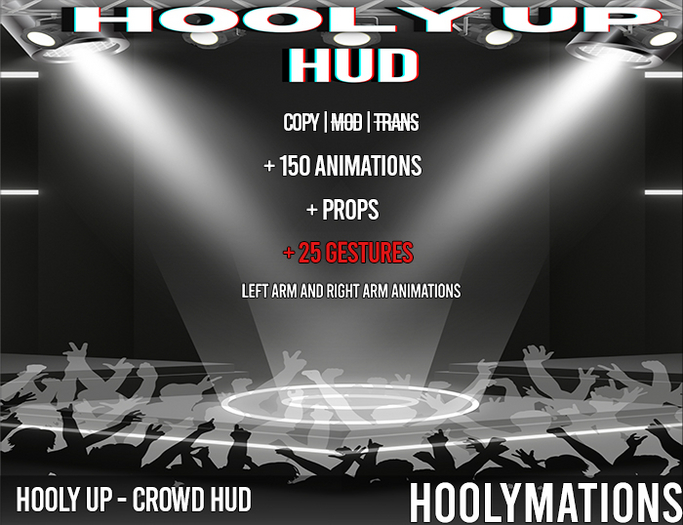

HOOLY UP - CROWD HUD!
This HUD allows you to express yourself as an active member in a crowd, either supporting your favorite performer(s) on stage or participating in a dance event.
You can animate one or both your hands to show your appreciation of the music using the arm selector buttons. Arms enabled for animation are shown white, disabled arms are shown grey. The HUD only shows the available gesture buttons for the selected arms, the other buttons are suppressed.
Multiple sections are available each with their own purpose: you have VIBES, GESTURES, TALKS and PROPS and these will be explained below.
A vibe in the VIBES section is an in-place dance of several minutes that presents your mood. It provides a pleasant full avatar animation often including singing or talking. Vibes can be looped and randomized to give you a basic good look without much effort. A looped vibe just repeats itself after it has completed. Use the Loop Vibe button below VIBES to activate (and deactivate) looping. A randomized vibe gets followed on completion by a random other vibe. Use the Random Vibe button below VIBES for that.
A gesture in the GESTURES section is short action of several seconds. It provides a means to show your appreciation of the artist(s) or music using your arms and fingers. Several gesture categories are available to give you precise control over how you want support the performing artists. When there are multiple versions in a gesture category you will see a version indicator, the letters A-E. The small buttons on the side of a gesture category button allow you then to switch to another version.
Gestures can also be looped and randomized (like the vibes) and have their own buttons for that on the left and the right of the gesture buttons.
A talk in the TALKS section is a longer action using your mouth. Currently there's a Pray options for both arms and Chattin option for left or right.
A prop in the PROPS section provides you with the means to react with either a lighter or a phone. They require you to have the HOOLY UP - PROPS attached to your right hand (click right in your inventory and select add).
Finally you can hide/show the HUD with the top right button and reset it with the bottom right button.
There's also tutorial video to show you what's possible: https://www.youtube.com/@hoolyvillerecordssl8819
SHORT USAGE GUIDE:
- open the purchased box and copy its contents to your inventory.
- in the folder of the hud in your inventory:
- click right on HOOLY UP - CROWD HUD and select add
- click right on HOOLY UP - PROPS and select add
- click on "Chill Vibe A" in the VIBES section to get you moving
- click on "Applause A" in the GESTURES section to give an applause
- click on the left arm and notice that the applause button is now suppressed
- click on "Thumbs Up A" in the GESTURES section to give a thumbs up with your left arm
ETC!!!
We wish you a lot of fun with our HUD and thank you for being our customer.
The HOOLYMATIONS team
See item in Second Life View Video »
- 150 Animations
- 25 Gestures
- 2 Props


![! HM -Whap Whap x Last Last Megapack [Add Me]](https://slm-assets.secondlife.com/assets/32138387/view_small/WhapWhapxLastLastxMegapackxAD.jpg?1663437566)

![! HM - Microphone [Add Me]](https://slm-assets.secondlife.com/assets/32587841/view_small/Plain%20Mic%20-%20HM%20-%20MP.jpg?1671238691)
![! HM - Wizkid x Tems - Essence Performance Megapack [Add Me]](https://slm-assets.secondlife.com/assets/32710207/view_small/HMxESSENCExFPADxMPxPNG.jpg?1673582072)
![! HM - Rotimi - Love Riddim MEGAPACK [Add Me]](https://slm-assets.secondlife.com/assets/32870999/view_small/Love%20Riddim%20FPxMPAD.jpg?1676199020)
![! HM - Bryson Tiller - Outside MEGAPACK [Add Me]](https://slm-assets.secondlife.com/assets/32870994/view_small/Outside%20MPFPxAD%20jpg.jpg?1676198661)