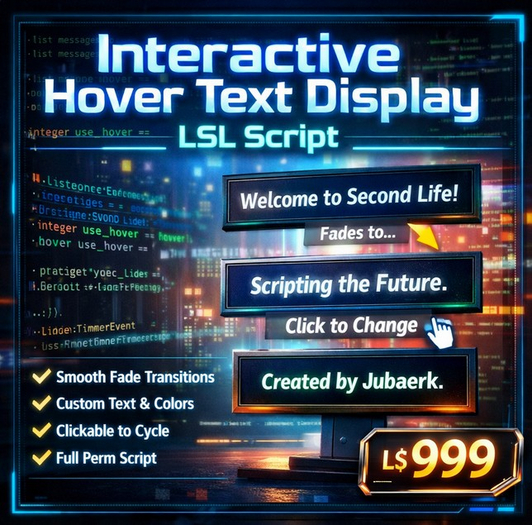

If you want your virtual space to feel alive, responsive, and visually engaging, static text simply isn’t enough. This interactive hover text transition system transforms any object into a dynamic messaging display with smooth fade effects and automatic rotation. Whether you’re building a welcome board, store signage, event display, or branded environment, this script gives you complete visual control with minimal setup.
This LSL script is designed for creators who want clean, professional text presentation that changes automatically or responds instantly to user interaction. Instead of harsh message switching, the system performs a smooth fade-out, updates the content, then fades back in. The result feels polished and intentional — like a real digital display rather than a simple scripted object.
The script cycles through multiple messages at a defined interval and can also be manually advanced with a click. This makes it ideal for environments where information changes regularly or where you want visitors to explore content at their own pace. From greeting visitors to showcasing announcements, promotions, instructions, or branding, the system adapts easily to your purpose.
Customization is straightforward. Messages, colors, timing, and optional texture switching can all be modified directly inside the script. No complex setup. No external dependencies. Just drop it into an object and it works.
Because the script is lightweight and optimized, it runs smoothly even in busy regions. It uses efficient link parameter updates and controlled timing to keep performance stable while maintaining a clean visual transition. This matters for stores, clubs, galleries, and public areas where scripts must remain responsive without causing lag.
Another key advantage is flexibility. This is not a single-purpose display. It is a reusable messaging engine you can place into signs, walls, panels, kiosks, art installations, or branded objects. Anywhere you want attention, clarity, or motion — this script fits.
The fade transition effect gives the display a modern digital signage feel. Instead of abrupt changes, messages flow naturally. This small visual improvement dramatically increases perceived quality. Visitors notice movement. They notice smooth transitions. And they associate that with professionalism.
Touch interaction adds another layer of control. Users can tap the object to instantly move to the next message. This makes the display interactive instead of passive. In event environments, it helps guests quickly browse announcements. In stores, customers can cycle through offers. In information boards, users can control what they read next.
Optional texture switching expands creative possibilities further. When enabled, each message can be paired with a different surface texture. That means your object can visually transform along with the text. Change branding, colors, graphics, or themes — all in sync with the message cycle.
This opens the door to many creative uses:
• Rotating promotional banners
• Interactive instruction panels
• Art installations with changing themes
• Event schedules that auto-update visually
• Store signage with multi-product highlights
• Club welcome boards with announcements
• Educational displays with step-by-step content
Because the script includes full permissions, creators have complete freedom to modify, resell inside builds, or integrate into larger systems. You are not locked into fixed behavior. Expand it, adapt it, combine it with other scripts — the control is entirely yours.
The system is also beginner-friendly. Even if you are new to scripting, editing messages and colors is simple list editing. No advanced programming required. For experienced developers, the structure is clean and easy to extend.
Visual clarity is another strength. Hover text remains readable, color-controlled, and consistent. Each message can have its own color value, making it easy to highlight different types of information. For example:
• White for general information
• Green for welcome messages
• Yellow for announcements
• Red for alerts or warnings
This visual differentiation improves communication without needing multiple objects.
Timing control lets you define how fast or slow the display rotates. Slow transitions create a calm information board. Faster cycles create energetic promotional displays. You decide the pace that matches your environment.
Because the script runs automatically after placement, it’s perfect for quick deployment. Builders working on large environments can install multiple displays in minutes. Just duplicate the object and edit the content lists.
Reliability is essential for public environments, and this script is designed for continuous operation. The timer system ensures consistent cycling, while touch interaction resets timing cleanly without breaking the sequence.
This product is especially valuable for:
• Stor
- • Smooth fade transition between rotating messages
- • Click interaction to manually change display
- • Custom text, color, timing, and optional textures
- • Lightweight and performance-friendly design
- • Full permissions — modify, reuse, resell in builds