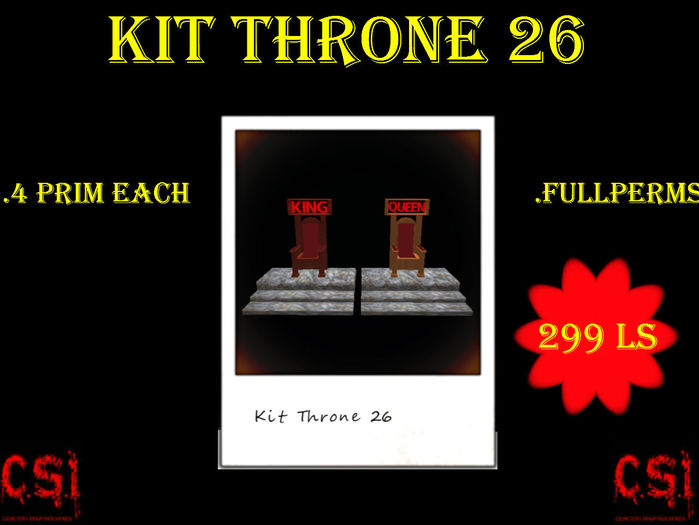


Whats in the box?
-Kit Throne 26-
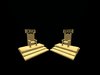
.1 example of Throne 26(King) 4 prim (copy,mod,no trans)
.1 example of Throne 26(King) textured 4 prim (copy,mod,no trans)
.1 example of Throne 26(Queen) 4 prim (copy,mod,no trans)
.1 example of Throne 26(Queen) textured 4 prim (copy,mod,no trans)
.Sculpty Map(fullperms):
.1 Sculpt.Throne 26(part 1)
.1 Sculpt.Throne 26(part 2)
.1 Sculpt.Throne 26(stair)
.1 Sculpt.KING
.1 Sculpt.QUEEN
- You CAN EMPLOY the sculpty map to create your clean prims, which can be employed in the construction industries that you ARE SOLD. .mais it likes to you to never give the full permissions
- thank you
.Texture(fullperms):
.1 Texture Red 1
.1 Texture Red 2
.1 Texture Wood 1
.1 Texture Wood 2
.1 Texture Stone
-Adjustment to put a texture :
Take example on textured objects
.Script AutoBuild(fullperms)
.1 Script Autobuild Throne 26 (Queen) Fullperms
.1 Script Autobuild Throne 26 (King) Fullperms
-How to use the script AutoBuild
1) 1) Create the necessary number of prim(4 prim)
2) Select all the prims and the link between these new prims with CTRL + L
Or use the menu tool up there: Tools> Link
3) Slide the autobuild script "Throne 26" in the content of all the Link prim mother ("as the main prim").
-If done correctly, you will have built a good example with your prims made.
-The script will delete itself.
-look my others item
-many other "kit sculpt"
-enjoy-
- Kit Throne 26
- 4 prim each
- Fullperms
- 299 ls


