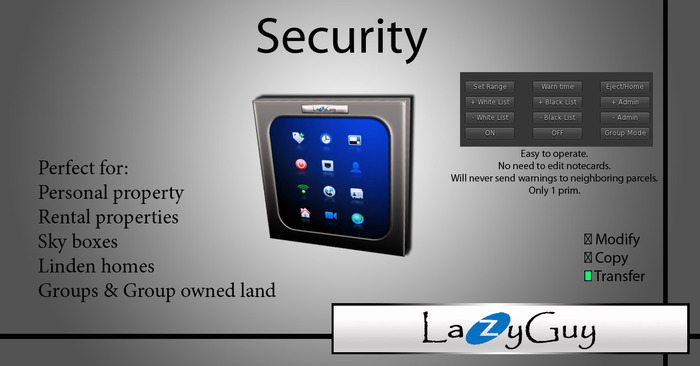

*Please try the demo before purchasing*
-----------------------------------------------------------------------
http://www.youtube.com/user/LazyGuySL
Easy to operate.
Works great with:
1. Personally owned land
2. Group owned land
3. Sky boxes
4. Rental properties
Whitlist, Blacklist, Admin list, and Group mode.
Detection range can be set from 1m - 96m or full parcel
Warning time can be set as low as 1 second.
Group mode allows anyone wearing the same group tag as the security orb to enter the land freely.
Instructions Included are below:
----------------------------------------------------------------------
1. If you are on group owned land the security must be deeded to the same group that owns the land. If you can't deed it to that group, your group role may not have sufficient permissions. In this case you will need to contact an officer or owner of the group for assistance.
2. Set Range = Sets the range from the security that will be scanned for avatars. (no matter the range setting, the security will not send warnings to avatars in a neighboring parcel if the neighboring parcel has a different owner).
Range can be set from 1-96m or full parcel.
3. Warn time = Sets the amount of time an intruder has before being ejected/sent home. Also sends a detected intruder a dialog message warning they will be ejected or sent home in the selected amount of time.
4. Eject/Home = You can choose which type of security here.
a) Eject = The intruding avatar will be removed from your parcel but remain in the same region.
b) Send Home = The intruding avatar will be sent to there own set home position (doesn't matter if their home is in the same region or not).
5. Group Mode = Anyone who has the same group activated (aka group tag) as the security is set to in the edit menu will be able to move freely though your parcel.
6. LISTS: When entering a name, you must use the avatars legacy name (not case sensitive).
Acceptable formats:
brooksie brooks
brooksie.brooks
brooks2
brooks2 resident
Never use an avatars display name.
EXAMPLE: "Brooks" <-will not work
a) White List = Add names of avatars who are welcome to enter you parcel freely to this list. (will not be ejected/sent home)
b) Black List = Avatars added to this list will be instantly sent home when entering your parcel within detection range without warning.
c) Admin List = Avatars added to this list will not be ejected/sent home and will have full control of the security system.
7. ON = Activates the security, Also says all of the current settings..... Range, Warn time, Security type, & Group mode.
8. OFF = Deactivates the security. Stops all listens and/or sensor functions of the script. (the blacklist and visitor log will still function even when security is "OFF".)
-------------- "EXTRAS MENU"-----------------------
9. Warning = with this button you can choose to customize your intruder warning message or use the standard default warning message.
10. Notices = Owner can choose who will receive the "Kick or not" menu. (menu asking if you wish to add an intruder to the whitelist, admin, blacklist, or boot them instantly.) Choose from "Only owner", "Only admin", "Admin & Owner", or "disable notices".
11. Reset system = Removes all names from all lists.
12. Visitor log = Records the name and most recent date of every avatar that enters within a set range. (within the land boundaries)
Range can be set from 1-96m or full parcel.
13. BL Range = Set the detection range of blacklist from 1-96 or full parcel.
14. Move/Opac = Contains opacity settings, movement & rotation controls, change name, and redelivery options. This is an owner only option that was implemented to allow relocating the security after it has been deeded to a group with insufficient role abilities granted.
View Video »

good product.
i just purchased both the orb AND the panel, so reasonable and so simple to set up, you can't go wrong. The affordable price meant i didn't even have to think about buying a second one for a future second location. 5 stars. :)
Great Security thing!
... and not only for guys ;) Easy to use and easy to set up. And for a copy version I would give 5 stars more ;)
BEST THERE IS !
I have both versions of this...the orb and the wall plate...i use them in 5 locations of have. Very easy yo use and the options are great as well.. Definately recommend this for your home or whatever. 5 stars
Great value
Easy to set up and so far so good. Not sure why you'd spend more L's on a more expensive security system when this one works so well and is uncomplicated. Thanks!
So Easy and works like a charm!
I needed this for a rental property and it just couldn't be easier to set up and use. Hust a few minutes of time and it was working like a charm. I couldn't be happier with it and so easy for the tenant to use!!! I'd recommend this in a heartbeat!
Wonderful product
This Is a must have the best Security System On Second Life I love it


