DOES NOT INCLUDE THE HELICOPTER!!!
Textures only
HOW TO APPLY THE PAINTJOB:
-------------------------------------------
1. Rezz the helicopter, right click it and select "Edit"
2. Go to "Content" tab, make sure its the root prim
3. There will be 5 texture files ("bodytexture", "bodytexture_blueSumple", "floattexture_sumple", "tailtexture", "tailtexture_blue_Sumple"), delete all of those and drag/drop the textures of this folder onto the "Contents" tab
4. After this process, exit "Edit" mode and click the helicopter for the menu and select "Texture" option. Click it until your texture is applied, you can take a copy of your helicopter with the texture on so you can save a copy of it with the new paintjob.
5. For changing the float's texture, you must edit the linked part and changing the texture manually through the "Texture" tab with the "Edit" mode
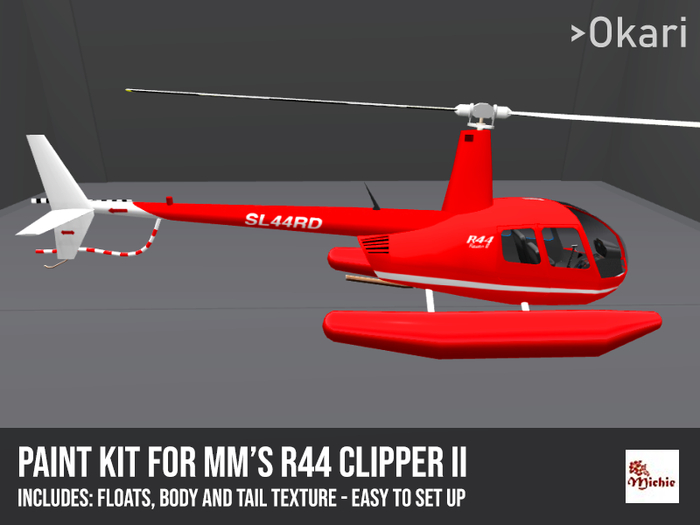
This is a Paintjob texture kit for the Michie Yokosuka's mm R44 Clipper2 helicopter - if you still don't have the heli, you can get it on this link:
https://marketplace.secondlife.com/p/mm-R44-Clipper2/6796522
- Easy to apply!
- Standard R44 paintjobs alike textures
- For mm R44 Clipper2 helicopter


it doesn't work :(
it gives me error says;
[18:16] Texture not transferable.
[18:16] Texture not transferable.
[18:16] Texture not transferable.
[18:16] Texture not transferable.
[18:16] Texture not transferable.
[18:16] Texture not transferable.
[18:16] Texture not transferable.
[18:16] Texture not transferable.
[18:16] Too many errors... dropping further messages until the flood stops


