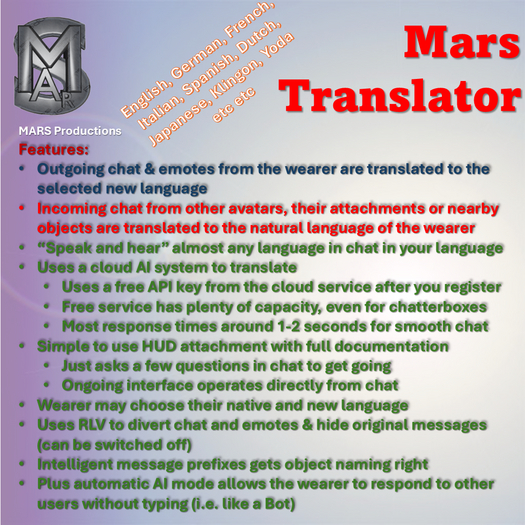

The Mars Translator uses a combination of RLV and AI tools to translate from almost any language to any other.
It is worn as a HUD and requires an API key obtained from registration on https://ollama.com which is free.
Messages you type in chat are translated into your selected new language and those from others (including objects) are translated from their language to your native language.
You can set it up to automatically respond in your chosen new language to other avatars direct chat (not objects or attachments) using an AI responder.
It works best when you have the RLV enabled.
Setting Up
------------
API Key
--------
To obtain your API key:
1. Go to the web site https://ollama.com
2. Register
3. In Settings/Keys select Add API Key to get your key (paste into a notecard so you have a backup as the website doesn't display the whole key when you go back to it)
4. Attach the Mars Translator HUD
5. Enter the key (paste in chat or on the provided channel) when prompted
Languages
-------------
You are prompted by the same method to enter your native language and new language (not channel numbers may change).
Valid languages include (but not limited to): English, French, German, Dutch, Spanish, Italian, etc
Plus some fun ones such as: Yoda, Klingon, Python, Gibberish, Cockney
Just remember its passing through Olamma AI using something like "Translate 'what you say' into 'language'". Some languages (such as Chinese, Russian etc.) use unusual characters which do not display properly. As long as you don't disable the command interface (see later) you can try different conversions at your leisure.
From that point onwards anything you type in chat is translated to the new language.
Anything others say it translates to your native language for just you. They can type in ANY language, not just your new language. So it acts like a Universal Translator detecting the language real-time.
Messages starting "((" are treated as OOC and passed without modification.
Translated Chat
------------------
All of your chat is translated into the new language including emotes but excluding OOC [i.e. starting "(("] which are echoed directly. Also if both native and new languages are the same the messages pass through.
Incoming chat is translated into your natural language if :-
a. Chat from avatars not OOC i.e. starting "(("
b. Chat from attachments to other avatars (not OOC)
Clicking
---------
Clicking the HUD provides some statistics about interactions since reset and how long its been locked etc.
Commands
-------------
The initial start up questions are asked through the chat interface. There are however commands you may type in chat which are intercepted (provided the system isn't in disabled mode).
These all start "Mars " and are case insensitive.
Resetting
-----------
When you reattach the HUD it will have recorded in an LSD database the languages and API key. To reset these to start again type either a line starting (not case sensitive):
Mars Lang - to prompt for native and new languages
Mars Reset - to start from scratch prompting for an API key.
Locking/RLV
--------------
Mars Lock - locks the attachment so it can't be removed unless you issue a Mars Reset
Mars Disable - will ignore the two Reset commands. Combined with Mars Lock you are stuck!
Hearing pre-translated text
--------------------------------
Mars Hear - toggles whether you can see the original chat from others
Pausing translations
-----------------------
Mars Pause - toggles the pausing (when paused it may still be locked but translation / Auto activeity is suspended)
Auto AI responses
----------------------
Mars Auto - toggles the automatic responses on or off
Whilst on anything send to chat from avatars (not objects) will be responded to if the system is not too busy. The system will attempt to respond in their language if it is detected otherwise it uses the new language you supplied earlier.
Auto response is range limited to chat from avatars or their attachments with 5m as it makes no sense auto responding to avatars any further away.
Responses are done in strict sequence except responses you type directly jump to the front of the queue.
Scanning to greet new arrivals
------------------------------------
Mars Scan - toggles scanning for nearby avatars
If whilst scanning a new avatar is detected then a greeting is sent and they are recorded in the LSD database. They will slowly drop off the list over time when nobody is about.
This may be used in conjunction with Mars Auto to act as an automatic greeter.
Current parameters are hard coded as 5m Range and one hour before deletion when no one about.
See item in Second Life- Translates your and others chat & emotes into almost any language
- Uses RLV & AI to perform translation & simplify chat messages
- Automatic AI mode & scanner for automatic responses
- Response times usually under 2 secs
- Register with AI Cloud service free
