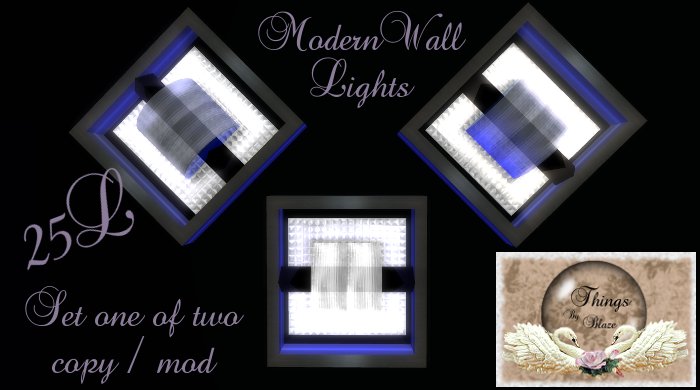
Modern Wall Light
This modern wall lighting set has a high and a low or you can use both together in three different styles.
Click on the individual light at very center of the object and it will light up. This is the high beam light. If you click the surrounding area around the center object there is a low beam light. Both are configurable via the script for light color, intensity, radius, and falloff. Although I highly suggest making a copy of the script prior to editing.
Enjoy and have a wonderful SL!
HELPFULL HINTS:
<0,0,0> = Black (0% Red, 0% Green, 0% Blue)
<1,1,1> = White (100% Red, 100% Green, 100% Blue)
<1,0,0> = Red (100% Red, 0% Green, 0% Blue)
<0,1,0> = Green (0% Red, 100% Green, 0% Blue)
<0,0,1> = Blue (0% Red, 0% Green, 100% Blue)
<1,0,1> = Purple (100% Red, 0% Green, 100% Blue)
<0.5, 0.0, 0.5> = Dark Purple (50% Red, 0% Green, 50% Blue)
Don't think of these numbers as having to add up to 100%.
Light Color - The color of the light projected onto objects nearby. Enter this as a vector also.
Light Intensity - The brightness of the light projected onto nearby objects. Use 0.004 - 1.000 (0.004 being darkest)
Light Radius - This is the range of the light that is projected onto nearby objects (in meters). Use 0.001 - 20.000
Light Falloff - This is the rate at which light projected into other objects fades the farther away it gets from the source. The higher this is, the more natural-looking. Use 0.001 - 2.000
- One click on / off light
- Both high and low ligting
- Modifyable light coloring and glow
