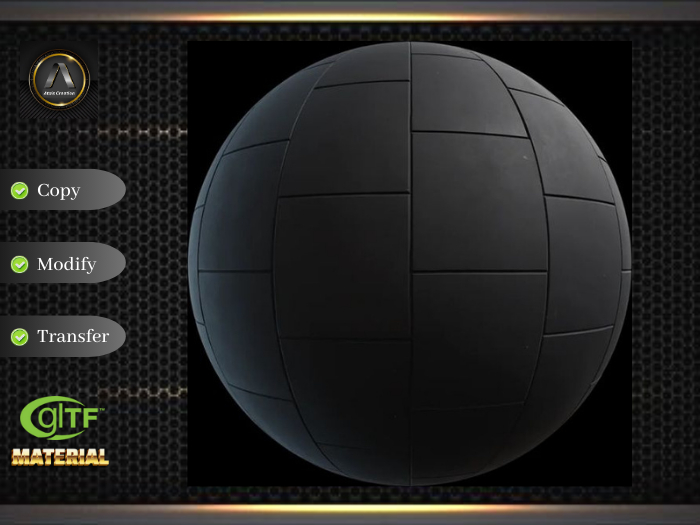


PBR Material. Rubber tiles
Elevate Your Second Life Creations with Realistic PBR Material Textures.
* * * * * * * * * * * * * * * * * * * * * * * * * * * * * *
Step-by-Step Guide for Applying PBR Materials in Second Life:
1. Purchase and Receive:
Once you've received the folder, click to open and receive the package. Unpack the contents to reveal the material's texture.
2. Right-click on the mesh/prim object you want to texture and select "Edit." In the build menu, navigate to the Texture tab and click "Select Texture." - Material - PBR Metallic Roughness, etc. Open the Inv Window and select the material texture you want to apply.
3. Adjust and Fine-Tune:
With the textures applied, use the viewer's editing tools to adjust the scale, rotation, and position of the textures. Fine-tune the appearance until it aligns perfectly with your creative vision.
4. Preview in Real-Time:
Take advantage of Second Life's real-time preview features. Walk around your creation, observe how the PBR materials interact with virtual lighting, and make any necessary adjustments for optimal realism.
5. Showcase Your Masterpiece:
Once satisfied with the results, proudly showcase your Second Life creation. Your virtual world is now infused with a level of detail and realism that will captivate fellow residents.
We extend our heartfelt gratitude to all the creative minds who have chosen Atais Creation Materials Hub to enhance their Second Life experience. Your trust in our PBR materials is the driving force behind our commitment to delivering excellence.
As you embark on your virtual ventures with our textures, may your creations sparkle with unparalleled realism and captivate the imagination of the Second Life community. Your support is the key to our success, and we look forward to being a part of your continued artistic journey.
Thank you for making Atais Creation Materials Hub your go-to destination for top-notch PBR materials on the Second Life Marketplace. Your creativity knows no bounds, and we are honored to contribute to the beauty you bring to the virtual world.
Happy creating, and may your virtual endeavors be as extraordinary as your imagination!
Warm regards,
The Atais Creation Team


Fantastic texture of PBR
Thank you, dude!
Ignore negative reviews.
The people writing negative reviews clearly do not know what they are doing. I purchased this texture and it was very easy to apply and looks really good!
Too complicated
Way too complicated of a process to apply a simple texture
Its all there
And it looks better than I expected for the price! Guess my cafe will have some floor mats after all :) Gotta admit I bought this partly because I saw the other review and felt bad for the creator, not his fault people don't know what they're doing!
No texture inside, just a how-to
The unpacker HUD unpacks nothing but a folder containing a notecard with the same text as the product's description.


