

THS - SERENA SPRAY POND
SHORT VIDEO: https://youtu.be/fHVOL2M7TjQ
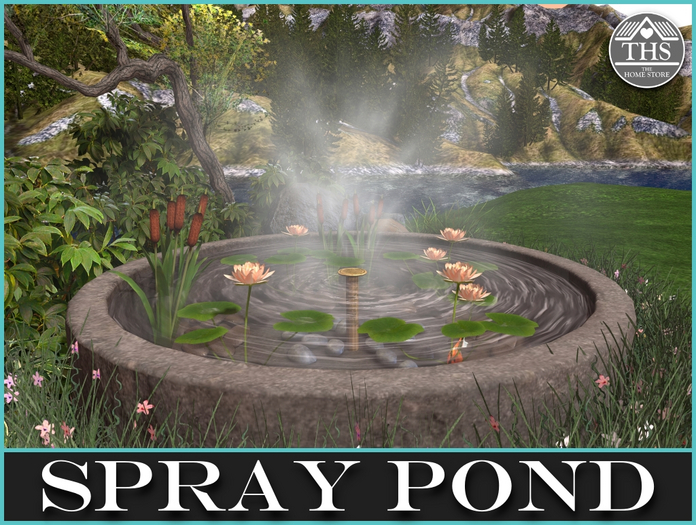
Tranquil spray pond with animated Koi carp. This beautiful spray pond is a lovely decoration for your garden.
Pond L.I. 19
Koi Carp L.I. 2
POSITIONING YOUR POND:
In Edit Mode (Right click on an item inworld to get into edit mode), drag the pond, which is supplied as a soft link together with the Koi carp, from your inventory to where you would like to place it. When you are happy with the position, come out of edit mode.
SPRAY FUNCTION:
Click on the gold metal rosette in the middle of the pond to turn the spray function on/off.
REPOSITIONING THE FISH:
Left click on the fish to stop it wandering. You will get the following message in local chat:
"THS - ANIMATED KOI CARP 1m RADIUS M/C: Stopped - Touch again to reset starting position and restart."
The fish has a wander-radius of 1m. Position the fish and then left click again to start the wandering process
SOUND MENU:
Click the pond to turn the water sounds on/off and to adjust the sound level via a menu.
The menu gives you sound level options:
OFF - 100% - 50% - 25%
If you want to turn off the sounds, just click on the surround and choose OFF from the menu.
This item is mod/copy. Scripts inside are no mod.
Please remember that making the items bigger will increase the land impact.
Best enjoyed in Advanced Lighting Mode (ALM).
ALM can be set in your viewer by going to PREFERENCES and then to the GRAPHICS tab.
In the GENERAL tab of graphics, under SHADERS, please check ADVANCED LIGHTING MODEL.
If you view this item at lower lighting settings then some of the texturing effects will not be visible.
Thank you for your interest in this item from The Home Store!
Please visit our sister store for more items from The Home Store
https://marketplace.secondlife.com/stores/29185
- SPRAY POND
- POND
- POND
- POND
- POND