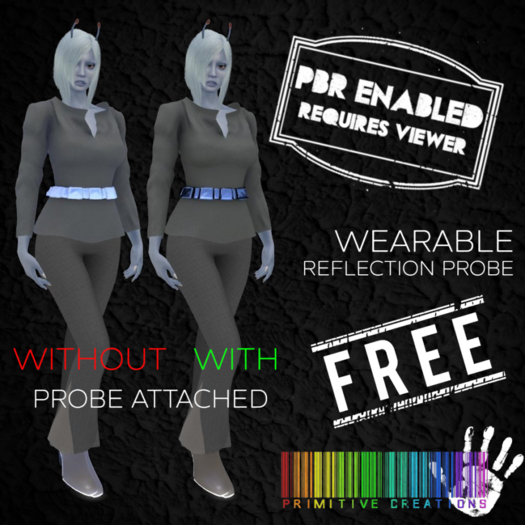

Taken from "Wearable PBR Reflection Probe (A Basic Guide)":
What is PBR?
It's a new system to SL that's used elsewhere in games and modelling programmes that provides deeper, more lustrous materials - especially for reflective surfaces like metals, plastics, and eventually, mirrors.
What is a Reflection Probe?
It's an object that you can create (just rez a plywood block, open the edit tab and go to Features, down at the bottom is a tickbox for reflection probe. Tick it, choose Sphere or Box and there you have a Reflection Probe.)
But why?
When you first rez something using PBR Materials in a PBR Enabled viewer it might not look its best. Sometimes it has a white or blue patina, or the colours are just dull. Covering the object with a reflection probe or two allows you to see the reflections how they're *actually* supposed to be viewed.
This free one you gave us keeps breaking.
Because Reflections need a lot more computing power than standard Materials, a reflection probe can only work on a stationary object. When you move the probe will stop working.
I'm currently trying to figure out a workaround but until the update is sent out (courtesy of the lovely CasperVend) We suggest that you only bother to add the probe while you're standing around in your PBR Finery, or once you're in position with your pose/animation for the photo.
I don't trust you, what else have you added to this?
You caught me. This isn't just a Reflection Probe. There's a secret box prim covered in an transparent texture in the middle of the Probe. This is where the Probe attaches to your "Centre" Attachment slot. I found that just attaching the Probe directly gave intermittent results.
So if you want to make your own, Rez two boxes, make one of them invisible and the other one a Probe. Resize the probe to cover your PBR Clothing and then Link it to the Invisible box (So that the Box is the Root Prim). Click "Edit Linked", click on the Probe (not the Box) and in the Features tab Change the "Physics Shape Type" to "None" Untick Edit Linked and then take the object into your inventory.
Then you just need to Right Click on it, Attach To, and then an attachment point (Centre is the best that I've found) with a bit of X,Y,Z Axis jiggery you can make it fit you perfectly.
Alternatively, just put this one on and trust that I'm not an Evil AI who'll take control of your motor skills and make you dance to Riverdance one step behind everyone else..
Thanks for reading this, I hope it's helpful It's my super-simple take on something that's a lot more technical and awesome than I can comprehend.
Want some PBR Enabled clothes to try it out? Visit PRIMitive Clothing in-world or on the Marketplace
Voir l'article dans Second Life

Just what I needed
Works as described and makes all my latex and sequin clothing look a lot better. Also as mentioned in the description, moving breaks it, thus I have it in my 'Favorite Wearables' tab and attach it when I stay in place or sit down. By making it bigger my avi also doesn't walk out of it with animations.