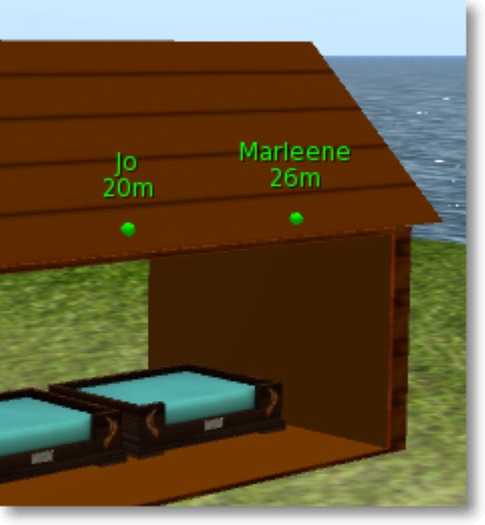

This device allows you to know if your pet is around and how far in meters. It has a green color if this is true, and red color if the pet is out of 95 m (SL limit) or lost.
To use it, rez it where you want, for instance close to the pet's bed, or attach it as a HUD on your screen. You can also attach it on your avatar where you want. At last, is it possible to modify the shape and the size of the object (sphere by default).
On first use, edit the object, write the name of your pet in the Description field (for instance Kitty) then reset the script. Or, take the object in your inventory and rez it again if you don't know how to reset the script. From that moment, the name of your pet is shown above the object, in green color and with the distance in meters if the pet is within the 95 m limit around. If not, the name is displayed in red color.
Remark. If your pet is a cat from KittyCats with the name "Kitty" (for instance), his full SL name is: "Kittycats - Kitty". In this case, just write "Kitty" (without the quotation marks) in the Description field of the object. If he is from another brand or another gender, for instance a dog from VKC, write the name of your pet in the Description field with an "*" in the first position, for instance: "*Puppy".
Version 1.1: if pet leaves the parcel/comes back to the parcel, an IM is sent to the owner.
- How far is my pet?
