

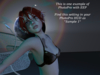

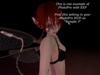
Taking pictures with professional light settings never has been easier than with PhotoPro. Manage up to three light sources, Projector Light and EEP!
Built-in Poseball for easy placing of your models
All wrapped in an easy to use HUD!
For best results your viewer must support EEP and you must accept "Tantrica Banana Experience"
Demo version is available inworld - follow the SL URL at the bottom of this page
In order to get the best results please make sure you have the following settings:
Make sure that you have "attached lights" enabled. the screenshots show you where to find these settings in the Firestorm Viewer and the Second Life Viewer.
If you want to use the Environment settings, make sure that your viewer supports "EEP" Environmental Enhancement Project This is not mandatory, however, the EEP option in the HUD will not do anything if your viewer does not have EEP ability. All other options of the system (light, projector light, poses, storage) will work with and without EEP!
If you wish to use EEP make sure that in your viewer in the menu "World - Environment" the option "use shared environment" is active
You join the "Experience Tantrica Banana" - this is a permission request, in this particular case only needed for EEP.
You do NOT need rez rights to use the light controls of PhotoPro - you only need rez rights for the inbuilt poseball. This means you can still adjust the lighting and take great photos in places where you cannot rez
If your viewer does not support EEP you can still (manually) adjust your Windlight for different environmental effects (Sun, Sky, Clouds, Water etc). Try experimenting too with the 'Midnight' sun position so you can see just how the various spotlights and individual colour comparisons work


