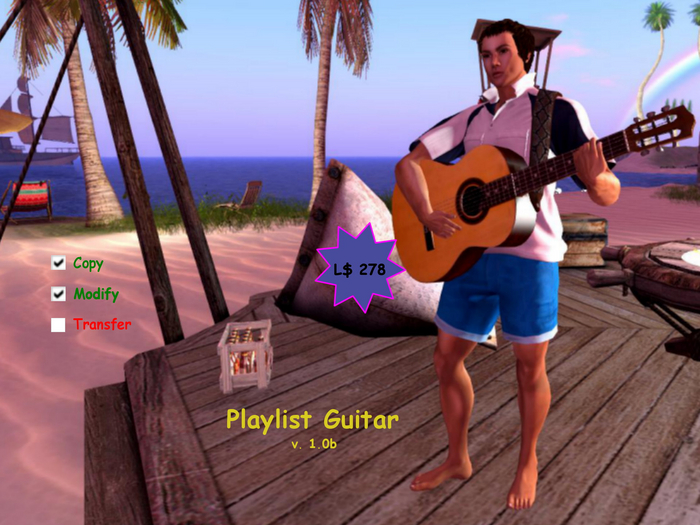
To play this guitar you would need to add more music pieces to the prim's inventory divided into many equal parts with a duration of 9.99 s; the last part may also be of a shorter duration. The names of the different parts will necessarily have the same name as the title of the music piece, with the exception of the last 3 characters which will indicate the playback order. This suffix must be of the type -nn, where n is always a digit starting from 0 and then progressively increasing (eg -01, -02, -03, ..., -09, -10, -11 , ...). To create your own music tracks you need to use audio file editing software like Audacity of which I will give you some simple instructions at the end of this guide and upload them in bulk to your avatar's inventory. There are two animations of the guitar player: "Ready" places the guitarist waiting to play; "Play" makes your avatar play. You can change the animations but the new ones must necessarily have the same names. If the animations are removed you will not get any errors but your avatar will not be animated. Once these operations have been carried out properly you can make your avatar play by touching the guitar and choosing the "Play" or "Randomize" option. If you want to choose a different music piece first you have to tap one of the 6 number buttons. The track list can be viewed by scrolling the "pages" forward >> or backward <<. The "Loop" button allows you to play the entire playlist after having also pressed "Play" or "Randomize": in the first case the musical pieces are performed in numerical order; in the second case in no particular order. By pressing the "Loop" button this changes to "Loop this" which, through a further press, allows you to play the current or random track repeatedly. In "Loop this" mode the button displayed is "Once"; when pressed it allows you to return to the playback of a single track only once.
IMPORTANT: the first playback of a single music piece may not take place synchronously or have pauses: this occurs despite the preloading of every single part of the music piece because the SIM where the guitar is needs to download the sounds first from the prim's inventory. Therefore it is necessary to play every single piece of music at least once in order not to have problems afterwards. Last but not least: the parcel's owner where you play must allow avatar sounds.
Demo tracks included:
1. Katyusha (Matvey Blanter)
2. Tarantella Napoletana
3. The Good, The Bad & The Ugly (Ennio Morricone)
Instructions for Audacity (v.2.4.2)
01. Open (from File) or record a music piece in WAV format.
02. Select the entire track.
03. Enter the start of the selection at 09.99s.
04. Edit > Clip Boundaries > Split New.
05. Collapse the top track if you wish.
05. Select the last (bottom) track entirely.
06. Tracks > Align Tracks > Start to zero.
07. Repeat steps 2. to 6. until the last clip.
08. Move the cursor to the end of the last clip.
09. Select > Region > Cursor to Track End.
10. Edit > Delete.
11. File > Export > Export Multiple...
12. Choose Signed 16-bit PCM WAV file.
13. Choose the Numbering after (the specified) File name prefix.
14. Export to the specified folder.
- Customizable playlist with own music pieces
- 2 Guitar player animations
- Random playback for a single music piece or the whole playlist
- Loop for a single music piece or the whole playlist
