
REDUCED TO 1L
Swimming Pool Lilo Instructions
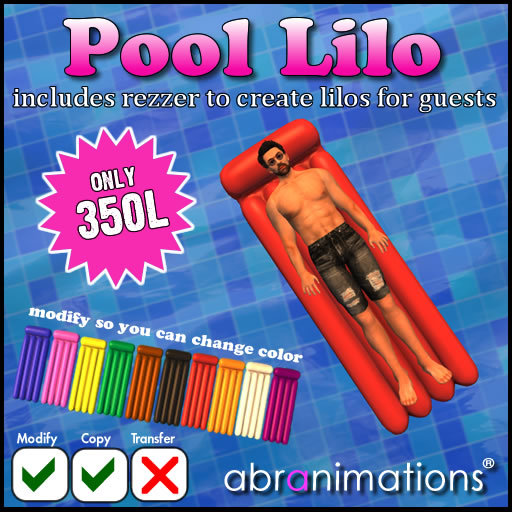
This is a floating lilo bed you can use in a swimming pool. It includes a personal edition you can leave out along with a rezzer that creates lilos other people can use that will automatically delete when finished with so as not to leave a mess around your land.
HOW TO USE THE LILO
1. Drop the lilo in world and adjust its height so it appears floating on the water surface
NOTE: it does not automatically detect water. It is up to you to set its correct position before sitting. This is a deliberate design element allowing it to be used in prim water as well as linden land terrain water.
2. Once positioned sit on the lilo and you should lie back on it.
3. The personal edition allows you to adjust the float height using the page up and page down keys when sitting.
NOTE: The rezzer versions do not do this. You should make sure the rezzer is creating the lilos at the correct height to begin with.
4. When sitting on a lilo you can use the arrow keys to navigate around.
CHANGE COLOR
The lilos in this pack are modify so you can adjust the color using the SL build tools for unlimited colors. (If you are not familiar with how to do this heres a quick summary... Right click on the lilo. Select edit to do into Edit Mode. Now go to the texture tab and change the color from there. I have also included a full perms shadow map for the lilo for anyone that wishes to create there own textures in photoshop whilst retaining the shadow effect.
USING THE REZZER
To use the rezzer place it in the pool and let it create a lilo. Now move both the lilo and the rezzer together positioning the lilo so it is floating on the water surface. This will mean every time it rezzes a new lilo they will be in the correct position.
Touch the rezzer to display the options menu. From here you can activate/deactivate it and show/hide it.
Inside the lilo rezzer there is a settings notecard you can edit. You can adjust the position and rotation of the lilos relative to the rezzer and also set it to rez a specific lilo from its inventory or pick one at random. This is useful if you wish to only rez a specific color or if you would prefer to have a different color each time. by default it is set to rez a random color each time.
Copyright 2015 Abranimations (R)
See item in Second Life


Works as described
Floats look good and work fine. The rezzer is not pretty, but you place it under water and click it to get the option to hide it so it doesn't really matter. after you place it the floats rez automatically. So when the rezzed one is moved away another takes it's place. I am happy with the purchase. I would have paid more than the 1 linden for it. Ty.