
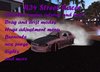
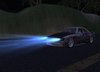
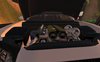
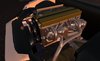
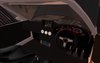
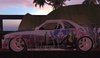

The second vehicle in my street racer series. See related items for the first
There are a lot of features, please make sure you read this whole listing to learn about them all
HOW TO DRIVE
Sit in the car and accept the attachment
Use the arrow keys or WASD to drive
Page up / page down changes gear
clicking the left mouse button while cornering will make the car drift
pressing page up and page down together will rev the engine
FEATURES
Main menu
Lights - turn on headlights
Unlock - let guests drive (note guest drivers will be unable to use the attachment)
Drag/road - switch between driving modes
Purge - Vent the NOS
Delete - removes the vehicle (note all saved settings will be lost)
Align - Lines the car up for drag racing
Set Return - sets a return point for drag racing
Return - returns to the set point (will be the rez location if no point was set)
Burnout - er, that'll be a burnout then ;)
Options menu
Turn +/- : increase or decrease turning power
Grip +/- : increase or decrease grip
Drift +/- : increase or decrease drift angle
Sound on/off : turn sounds on or off
Particle on/off : turn particles on or off
Del card : removes the settings notecard
Position menu
XYZ adjustment for position.
OTHER FEATURES
Passengers can join you by sitting on the passenger seat
touching the doors, boot or bonnet will make them open
Touching the screen in the dash will show a map of the sim you are driving on
The turbo wheels rotate for show
There are 2 driving sounds. Using a high gear will make a more agressive engine noise.
GEARS
Gear figures are held in the item description. This is to enable you to change settings without being booted from the car (saving a new notecard will do that)
You can put any number of gears and any power figure from 1-9999999. Using high numbers will make the car faster.
Example - 10,20,30,40,50 will give 5 steadily increasing speeds. 10,30,9999 will create a drag car with a staging, returning and race gear.
Gears MUST have a comma in between each number.
To adjust gears, simply edit the car and change the numbers in the description field. Then touch the car and select "set gears" from the menu to load the new settings
ADJUSTMENTS
The following settings can be adjusted in the notecard
Gears
turn power
drift angle
downforce
To change the notecard, follow these steps.
- there is a spare card included with the car. It's in your inventory. Edit this and put your new settings
- touch the car and select Options>Del card
- drag the new card into the cars contents
Further adjustments can be made in the menu, but these will not be saved the next time you rezz the car.
Ver el artículo en Second Life- Massive option list
- lots of adjustments
- drift and drag modes
- nos, burnouts and sound effects
- detailed interior and engine

