
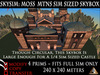
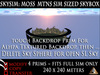
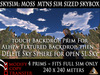
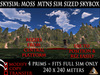
THE IJD SKYSIM: MOSS MTNS SKYBOX
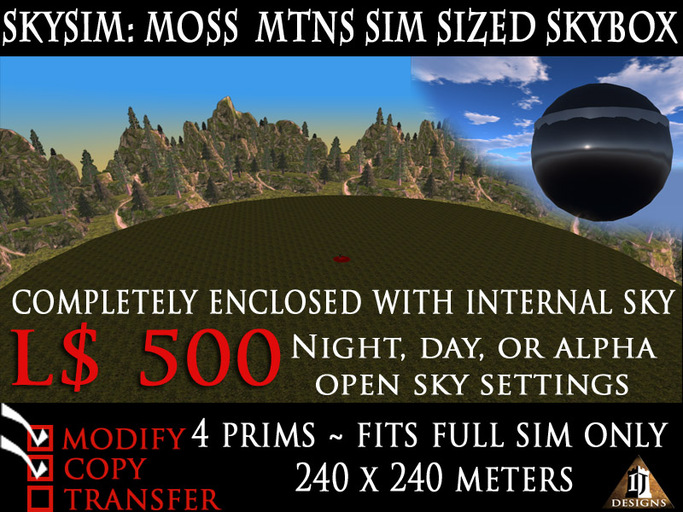
Is a massive, megaprim skybox that almost fills an entire sim. It is constructed almost entirely of Mega prims with the exception of the rezzer which is a standard sized, red, oblate sphere. The Skybox consists of a 230 meter diamter disk for the floor, a 230 diameter, 64 meter tall cylinder that serves as the mountian backdrop, and a 240 meter in diameter sphere that encloses the skybox for privacy, and also serves as a night time or day time sky on the inside. Total Prim count: 4, 3 if the rezzer is deleted after positioning. Because these are so low in prim count, Skysims can be used in any SL sim, AS LONG AS YOU HAVE THE FULL SIM TO USE. Because Skysims are copy/modify/no transfer, one could set out several copies at different altitudes and have quite a bit more land area than the original sim space, and even retexture them to suit your needs.
HOW TO DEPLOY THE SKYSIM SKYBOX:
Take the Skysim in a box, open and copy contents to inventory. Place the object named SKYSIM: MOSS MTNS SKYBOX REZ BOX on the ground. To locate it at the center of your sim (highly advised), right click it and open the edit window, in the object tab enter the position coordinates for X and Y:
X: 128
Y: 128
This is the center of your sim.
Once you have it centered, right click the rez box and select "Climb On" from the pie menu. Now you can adjust the height you want your skybox to be at by going into the edit window of the rez box again, and in the position coordinates section adjust the Z to whatever height you desire. The rez box will instantly go to that height with your avatar on it. If your camera didn't follow you to your new altitude, simply select "stand" and your avatar should be standing on the rez box, but be careful not to walk off the edge!
When you put the rez box out you should have received a blue HUD in the upper right hand corner of your viewer, now is the time to use it. Press the button marked "Rez".
Your Skysim will rez in full around the rez box. Although it is made of megaprims, no part of it is phantom, so you cannot fly out, nor can anyone fly in without you modifying the outer "Skysphere".
If you need to reposition, or derez your Skysim later, then I recommend selecting "ignore" on the HUD, if you are satisfied with the position of the Skysim, simply choose "Save" and it will take all the positioning scripts out of the Skysim parts, and you can delete the rez box, leaving you with a skybox of just 3 prims.
HOW TO CHANGE TEXTURES FOR SKY AND MOUNTAINS:
To change the inside sky of your Skysim to night or day, anyone may simply touch (left click) the Skysphere, and then touch the Mountain Backdrop until the textures match. The Mountain Backdrop also has an alpha textured version of the mountains, so that you can delete the Skysphere, and see the SL sky instead, but beware the alpha texture may interfere with any other alpha textured objects or clothing you place in front of the Mountain Backdrop.
Thank you for your interest in this product from Insky Jedburgh Designs.
Regards,
Insky


Good Item
Shame there wasnt a demo in-world
I Imd the creator several times but no answer.
NO STARS for service
FIVE stars for the item


