
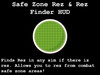
Notes about the HUD:
This HUD will work for any safe zone 10x10 or smaller, it has been tested in the sandbox weapons test, concord, lexington, and rausch sims. If it fails for any reason please contact Xylex and I will make sure to see how I can fix it for you.
How to use the HUD:
1.) put any and all objects you want into the main prim of the HUD. The HUD will give you a message saying that it will reset in 10 seconds. This is so the HUD can properly build the menu list of all your objects.
2.) clicking the list button will allow you to choose from any objects inside the HUD.
3.) clicking rez will cause that object to rez. If you are out of a safe zone, the object will rez 1.5 meters above your avatar. If you are inside of a safe zone, the object will rez at the first point that it can outside of the safe zone.
The reset icon will reset the HUD. If for some reason the HUD is not rezzing or working in scripts, go to a script enabled area, hit the reset button, then teleport back to the sim in question.
Just want to find the nearest rez point? Click the magnifying glass icon and look in local chat. The HUD will find rez in the sim if there is ANY rez point.
Check out a video of the rez features in action.
https://www.youtube.com/watch?v=OQm08L8FMFk
- Rez from combat safe zones
- Find Rez
