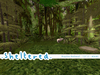
Thank you for consideration in our .Sheltered. products!
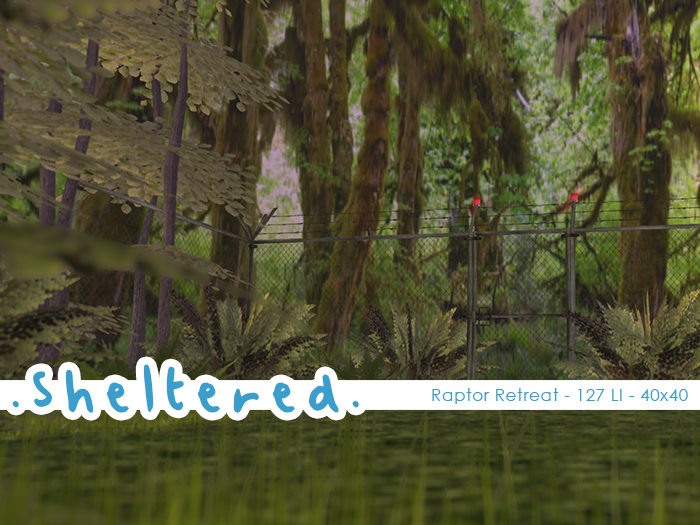
This Skybox is 40m x 40m and is 127LI when rezzed (once the rezzing box is removed).
Avatars seen in photos are by Wanders Nowhere and are not included.
=====================
The Skybox has been conveniently tucked away in a rezzer for ease of set up.
Tips:
When the structure is rezzed, move the rezzer SLOWLY to make sure that latency doesn't cause the structure to misalign. If you need to do a major move, select "clean" to pop the structure back into the rezzer.
When you are ready to set your Skybox, Select "Record" to set the structure's location and unlink the rezzer, and then "Done" to remove all rezzing related scripts from the skybox.
If you need to move the Skybox after you've finished with the Rezzer, select all the pieces. Most models have multiple pieces that can be selected by opening the build window and clicking all pieces.
Only rez one Rezzer at a time. Having multiple Rezzers out can cause them all to follow the commands (i.e. if you rez 3 Rezzers, and click one and select build, all 3 will react to the build command, and rez 3 structures)
When placing this structure in the sky, it is easy to forget where your property lines are. We recommend rezzing a prim on the ground floor of your parcel and stretching it to fit the dimensions of your property. Then, in the build menu, you can move that footprint to your desired location in the sky by going to the object tab and putting the desired location into the Z Axis portion of the "Position (meters)" section. This will pop the prim footprint into the sky. You can then rez another object (such as a chair, or even a box) sit on it, then move it's Z Axis to the same position plus roughly 4 more meters. This will allow you to be just above your platform in an instant.
In our experience, rezzing your Rezzer on a platform in the sky to set your structure will be much easier than rezzing it on the ground and sending it up to its location.
If your skybox pieces are not in the correct position after rezzing. Please move the rezzer box and the places should correct their position. This can happen due to the platform being too small for the skybox.
=====================
If you have any questions, please contact Commandersnoots Resident or Darky Delacroix BEFORE purchasing. Please try the demo to see this structure in world. Please test with the demo to make sure the skybox is the right one for you. Sizes are shown on the advert and in the product description but some items, such as trees, may clip or stick out of the box. We do not refund any purchases as we provide a full demo of every skybox.
Thank you again for considering .Sheltered. for your home needs!
. Sheltered .
Designs by Commandersnoots Resident and Darky Delacroix


Almost perfect
Its not really modifiable. If it were modifiable, it would be SO perfect because I'd be able to make it a bit bigger and remove anything I didn't want. I also kinda wish the fencing was either one piece itself (so it could be removed if wanted) or extended all around the area. But thats just a nitpick.
One thing that drove me crazy was how glitchy the rezbox was. NOTHING can be anywhere near the box at all when deploying or it doesn't place things correctly. And then if you derez the items in hopes of rerezzing it correctly, you can't and have to rez out a new rezbox. Fixable but frustrating.
