
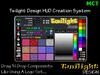

Introducing The Twilight Design HUD Creation System (TDHCS)
The TDHCS is for quickly creating HUDs for texturing, colouring and setting the attributes of the things you make and sell in Second Life. You can set the texture and colour of any face(s) of your build as well as texture repeats, offset, glow, shininess, rotation, full bright etc.
This includes clothes, outfits, vehicles, furniture, footwear, jewelry or anything else you make... as long as it is made of mesh or SL prims. (It will not work with normal standard clothing layers of SL avatars).
Create areas of your builds and texture/colour a single face... or multiple faces at the same time.
* Works effortlessly with prim skirts created with skirt generators too. You can even make existing high prim skirts work with TDHCS in seconds!
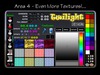
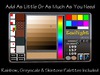
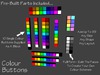
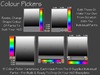
Create your own colour palettes of buttons or use the 'Rainbow' colour picker with Greyscale and Skin Tones palettes included.
Local chat commands let you quickly enter any specific colour using RGB colour values as well as attribute values.
The TDHCS is a modular system and contains all the parts you need which can be dragged from your inventory and dropped on the chosen HUD backplate - similar to Lego building bricks.
1. Rez a HUD backplate
2. Drop the required components on it
3. Link them with your own root prim and drop the HUD script in
4. Set the channel to use and add your texture UUIDs
5. Reset the scripts and your HUD is ready to go!
Many other HUD systems are available in SL, but as far as we are aware, at the time of writing, TDHCS has one unique feature: Texture Groups.
Some HUD systems have a fixed number of Area and Texture buttons and others let you create the number you want up to a limit - like say 6 Area buttons and 10 Texture buttons. But, the downer is that the same 10 textures have to be shared between all 6 Areas.
Not with TDHCS!
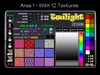
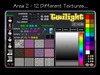
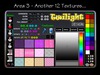
The TDHCS supports up to 99 Area buttons and 99 Texture buttons, (though the limits on HUD/screen sizes makes achieving those numbers highly unlikely). But if for example you decide to go with 6 Area buttons and 10 Texture buttons, then each Area button can have it's *own* 10 textures, the same 10 textures or even have some Area buttons limited to just colours!
That's the ability to include up to 60 textures should you so wish...
You also have the ability to work on more than one object at a time - 5 different sizes of a mesh garment for example. You can even texture one while looking at yourself wearing it, knowing that when you have finished, the other 4 sizes on the ground are going to be identical!
The HUDs you create can be used just by you to very quickly and easily make many different versions of the same object - for example, 12 versions of the same dress to sell individually on MP in 12 different textures/colours, (or in a fatpack), or alternatively you can create and sell just one dress and include the HUD with textures so the customer can texture/colour it themselves.
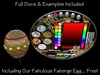
Includes full documentation and examples, including totally FREE, our Faberge Egg and HUD which gives you endless permutations for decorating it to match your decor!
*** Please Note ***
We think, (and our testers agree) that TDHCS is one of the easiest HUD creation systems to use, but even so, it is not for novices. Yes, there is a learning curve, but it was designed for creators, who should already have most of the skills required to use it.
The supplied docs are comprehensive and versions for both experienced and novice builders are included which take you through the whole design process step by step.
*** PLEASE NOTE ***
The system is full perm so you can create and sell HUDs you make with your designs, However, I should have stated that the scripts are all No Modify. Apologies for any confusion.
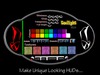
- Create Unique Looking HUDs For Your Products
- Modular - Drag Components From Inventory Onto The HUD
- Up To 99 Areas Of Your Build Each With Up To 99 Textures
- Buttons To Give NC, LM, Group Invite & Open URL
- Just A Single Script In Your Build Object


A Little Daunting at first but a 5 star HUD!
I bought this hud a couple of days ago....I was freaking out at first but I was patient and read the extensive and informative note cards on how to create this hud...ONCE I did make my first hud, it was sooooooooooo much easier to understand as I went along.
I still recommend some kinds of video tutorial...Maybe I'll make one myself....But otherwise I am sooooooooooo happy with this product.
Worth EVERY linden I spent on it!
HIGHLY RECOMMENDED!
Sadly the permissions are misleading.

Unfortunately I was carried away by the possibility of this item and it's contents being Full Perm as it's stated on the Permissions, however it's good to note that the scripts are No Modify. I did just read the description page twice to make sure I didn't happen to miss some bit of information - as of yet, nothing on it states the actual permissions of the components. It might be a good idea for the creator to alter the description with this bit of information. Unfortunately I won't be able to use this HUD however I'm sure it's a great asset to any designer on SL, it seems to have a vast number of options and perks to enrich your item and your customers experience. Sadly for me it won't do as I already have a similar HUD - my purpose to purchase the supposed full perm scripts was so that I could update and tweak the scripts and HUD to fit my store needs further.