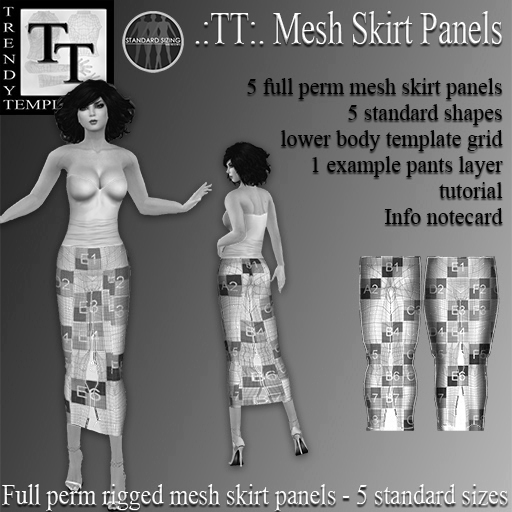

***********THIS IS THE DEMO PACK**********
When wearing a mermaid skirt, the system avatar could use the system skirt for the upper part and that way cover the gap between her legs to the point where the flexi skirt starts. Mesh avatars cannot use the system skirt and therefore need another solution. Using the .:TT:. Rigged Mesh Skirt Panels provide an elegant and easy way to suggest a fitting skirt both for mesh AND for system avatars.
the full pack contains:
• 5 full perm rigged mesh skirt panels in 5 standard sizes
• 5 standard sizes shapes
• 1 lower body template grid
• 1 example pants layer
• 1 information notecard on standard sizing
• 1 standard sizing logo
• 1 slide show tutorial on how to use the panels (show your name as the creator and texture them)
• 1 information notecard with the the text on how to show your name as the creator and how to texture them
BEWARE: When you have set your graphics settings to use Atmospheric Shaders you might see a difference in color or a kind of shade on your panel caused by the belly or the buts, this is inevitable and it will disappear when you change the shaders in your preference panel.
How to use the Rigged Mesh Skirt Panels
Step 1 show your name as the creator of the Mesh Panels.
The only way to become the creator of a mesh object is to upload the DAE file – these files are not included so you need to add a new root prim to the mesh skirts.
- rez one of the 5 Rigged Skirts Panels
- rez a prim of your own and give it a proper name
- place your prim in the middle of the skirt panel rezzed on the ground
- Select the skirt panel, hold SHIFT and click your prim. (You have 2 prims selected, and the last one was your prim, that will be the new root)
- Click the 'Link' Button on the edit screen
- check the box 'Edit Linked' in the building screen and select your prim only.
- Make the prims as small as possible and change the texture to transparent
Step 2 – texture the skirt panel
The skirt panels can be textured with the default lower body templates. This way you need to make only one texture for the panels + the pants.
Create a lower body texture and make sure that the gap between the legs is filled with a texture as well
- check the box 'Edit Linked' in the building screen and select the skirt panels only.
- in the texture tab add the lower body template texture to the panels
Your Rigged skirt panels are now ready to use! Take them back into your inventory, change the permissions and double click to wear them.
NOTE - DAE files are not available, unfortunately I messed up the files and lost them on my computer :(
RULES FOR MERCHANTS AND OTHER CONTENT CREATORS
You are allowed to use the textures for your own clothes or to make clothes that you will sell.
Do NOT sell the textures full perm,
Do NOT sell or give away the clothes full perm or copy/transfer.
Do NOT use these textures or the ones that come from the PSD files in any full perm template set that you make.
Do NOT share the textures or the PSD files with anyone. They are meant to be used by you and only you!
Read more on https://trendytemplates.me/how-to/enduser_licence_agreement/
Since most of the items are full perm or no transfer there is NO REFUND of items
5% discount at the main store
Ver el artículo en Second Life Ver vídeo »
