

+---------------------------------------------------------------------------------+
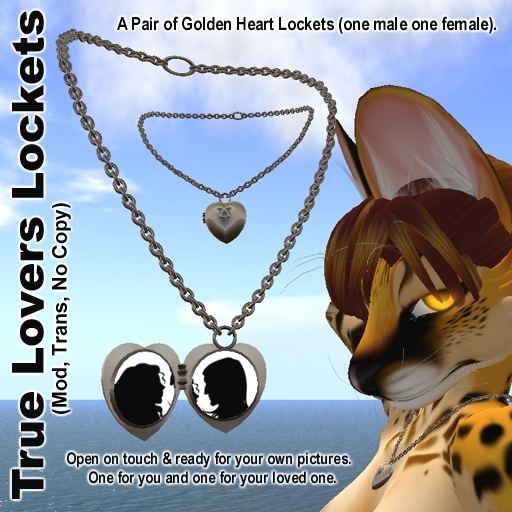
True Lovers Lockets
+---------------------------------------------------------------------------------+
Ideal for Valentines day. These lockets come as a pair, one for you and of that special other person in your life. One male and one female, (the difference mainly being the shape of the chain as it runs around the neck).
+---------------------------------------------------------------------------------+
How to change the pictures inside your True Lovers Locket
+---------------------------------------------------------------------------------+
1. Rezz the locket out on the ground in front of you, (you'll need a place with 37 prims free for each locket you put out).
2. Pick the pictures you want to use from your inventory and 'click' on the locket to open it.
3. Open the edit panel, (Left click with the mouse and select edit from the pye wheel).
4. On the edit panel, tick the radial button for the option 'Edit Linked Parts' (this lets you alter single prims in an object) and select the 'Texture' tab.
5. Move to the open locket lid and click on the picture inside. The prim will be highlighted with a light blue line around the prim and you can now add your picture. Either click the Texture box in the Edit panel and find the image using the inventory folders. Drag the image from your inventory over to the edit panel or if the picture is open on your screen, click it with the mouse and drag it across direct to the texture box.
6. Chances are the picture is the wrong size or not positioned correctly. With the prim still selected you can use the 'Repeats Per Face' to adjust the size and the 'Offset' to adjust its position. It's even possible to use Rotation to rotate the image.
7. Once the picture in the lid is done it's time to move on to the one in the body of the locket. It's not possible to click on the picture directly as the hidden prims of the closed lid are in the way. Move your camera view around behind the back of the locket, and you will find a section of the photo prim protruding through the back of the locket. Click on this and the prim will be selected, swing your camera back round the front and you can now add the second picture, size it and possition it just like you did the first.
8. Pick up the finished locket, find in inventory, wear, enjoy!


Cute, nice price :)
I love it, it's adorable xD, and yes it IS possible to change the pictures if you just follow the instructions.. It's really not hard.