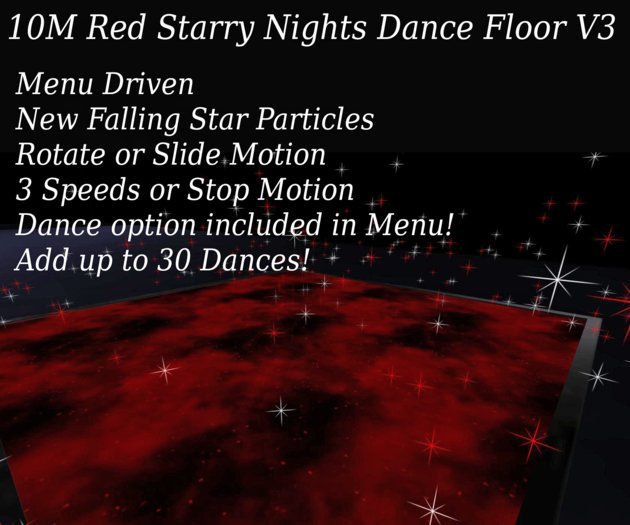


10M RED STARRY NIGHT DANCE FLOOR V3
3 PRIMS
MOD/NO COPY/TRANSFER
TOUCH FLOOR FOR MENU
1.CHOOSE FROM 2 MOTION PATTERNS-ROTATE OR SLIDE
2.CHOOSE THE SPEED YOU PREFER OR USE WITHOUT MOTION
3.CHOOSE YOUR COLOR OF STARS
4.CHOOSE DANCE FROM THE MENU, CHOOSE YOUR DANCE, AGREE TO PERMISSIONS TO DANCE!
5.USE THE USER MENU TO SET PERMISSIONS FOR SOMEONE ELSE TO BE ABLE TO OPERATE THE DANCE FLOOR, IF YOU DONT USE THIS MENU THEN ONLY THE OWNER WILL BE ABLE TO OPERATE THE FLOOR. EVERYONE WILL GET THE MENU
TO CHOOSE A DANCE, ONLY OWNER AND ALLOWED USERS CAN CHANGE OTHER OPTIONS.YOUR GUESTS WILL NOT
SEE THE OTHER OPTIONS!
HOW TO ADD AND REMOVE DANCES FROM YOUR DANCE FLOOR: (Up to 30 Dances can be loaded)
Right click on your dance floor.
Choose edit
Open the content tab in the edit window
Here you see a list of all the dances included
Open your inventory
Choose a folder with dances you would like to add
Left click on the dance and drag and drop it into the contents
If you wish to remove a dance, left click it in the contents and drag and drop
it to a folder in your inventory (If it is copyable then you will delete instead of move to inventory)
Do not remove any scripts from the contents or your floor will no longer operate
Close the edit window
Touch Dance Floor and choose Dance
Your new dances should now show in the menu!
Choose your dance!
IMPORTANT
*MAKE SURE YOUR DANCE NAMES DO NOT CONTAIN MORE THAN
24 CHARACTERS OR YOU WILL GET A SCRIPT ERROR. THIS IS THE WAY
SL SCRIPTING IS SET UP*
If your Dance Name is longer than 24 characters you can change it if your dance
has modify permissions. To do this your dance must be in your inventory.
Right click your dance name
Choose rename
Change the dance name to something shorter
Drag and drop dance back into contents of the dance floor
If you have any problems just leave me an IM and I will get back to you ASAP
Thank you for choosing Raine Designs!
- Menu Controlled
- New Star Particles-Low Lag-3 Colors
- Touch to Dance Feature-Add your own single Dances
- Choose from Rotate Pattern or Slide Pattern
- 3 Speeds to choose from or turn off for no motion


