
~~~TRY the demo inworld below!!~~
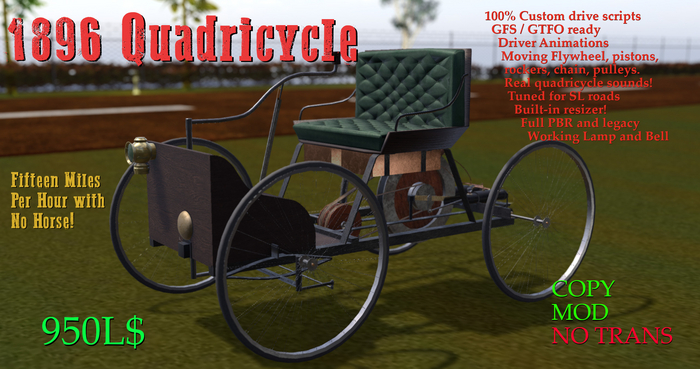
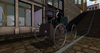
Fifteen miles per hour with NO HORSE! Inspired by Henry Ford's first ever vehicle, enhance your Second Life with this Victorian Era motorized carriage! See all the moving engine parts, grab the tiller, ring the bell, light the lamp! Built-in resizer, GTFO/GFS. 36LI
~~~~Driving Controls~~~~
Gear up - e / PgUp (Gears -1 through 2)
Gear down - c / PgDn (Gears -1 through 2)
Turn Left - a / left arrow
Turn Right - d / right arrow
Drive - w / forward arrow
Brake - s / back arrow
~~~~ClickSpots~~~~~
Headlamp - RESIZER - see below!
GAS cap - check fuel level
~~~~Chat Commands~~~~
adjust - adjust driver sit position (will persist on take)
help - deliver this notecard
stop - stop engine
start - start engine (engine auto-starts on first sit)
cam1 - default cam
cam2 - overhead (parking) cam
cam0 - static cam
fix - recover sitpos from bad simcrossing
guest - unlock car for anyone to drive
lock - lock car (owner only)
ej - eject passengers (menu)
fuel on - activate GFS fuel system
fuel off - deactivate GFS fuel system
refuel - refuel the car anywhere
l - toggle lights
h - beep
turn+ - increase turnrate (will persist on take and re-rezz)
turn- - decrease turnrate (will persist on take and re-rezz)
~~~~Notes on GFS fuel system~~~~
The fuel system is enabled by default, and fuel will be consumed when the engine is on, based on your speed. There is no fuel gauge. Check the fuel by clicking on the GAS cap. The car holds 1 gallon of fuel, and will begin to warn you when it is down to .1 gallon. Once empty of fuel, the car will stop and be unable to drive until you fuel it at a GFS pump. The fill location is on the passenger side (right), under the seat. If you do not wish to use the fuel system, the fuel off command will deactivate those scripts and if that car is taken to inventory, will have the fuel system off by default.
If the (usually NBTI) pumps do not work because they are set too high for your car, you can type 'refuel' from the driver seat which will instantly refuel the car.
~~~~~Notes on Editing~~~~~~
This car is mod, and as such, can be edited and changed with the following caveats:
Be sure to have an unedited copy of your car. You never know whether an edit will break the car!
BUILT-IN RESIZER can be accessed by clicking the headlamp (only when the engine is off!)
It is possible to resize the car down to .1 scale but it will be too small to maintain stability. It is also possible to make a "giant" car but the land impact will be very high.
ONLY USE BUILT-IN-RESIZER to scale the car! I have coded all of the moving parts to work with it!
The resizer has a RESTORE function that will return the car to 1.0 scale. It also has *SC-RESET* which will reset the resizer script. Do NOT reset the resizer script unless the car is at 1.0 scale!
To do a LINKSET EDIT (adding or removing prims) follow these steps:
1. orient the car to zero rotation at all axes
2. make certain the car is at 1.0 scale! (use resizer RESTORE if necessary)
3. perform all linkset edits and be sure to set everything with the pos and rot you want.
4. Once all edits are done, reset the resizer script by clicking the lamp and choosing *SC-RESET*.
5. Then rename and take new car to inventory. DO NOT SIT or operate until you re-rezz it!
As is the case with all linkset edits, if you wish to remove or add links, be sure to take the new car to inventory after editing (and not operate or sit in the car until re-rezz).
- 100% custom drive scripts by AW
- Highly detailed mesh
- many moving parts
- custom sound set
- built-in resizer
