
► DESCRIPTION
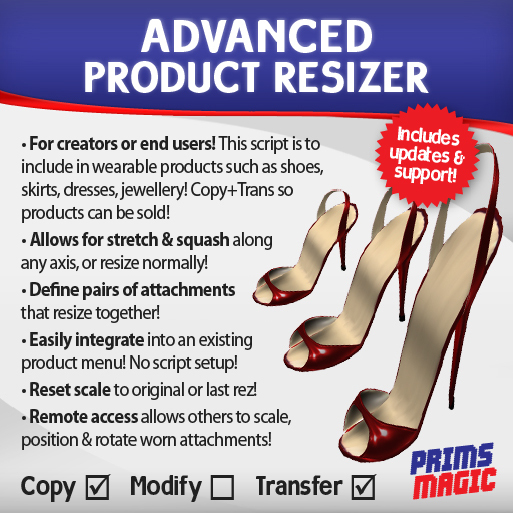
SL's most advanced wearable product resizer! Perfect for shoes, skirts and any other worn attachments, this resizer is designed especially for content creators to include inside their wearable products! Allows you and your customers to resize attachments in ways otherwise impossible. Also allows you and others to resize, position, and rotate a product to fit a customer while they are wearing the attachment! This makes the ADVANCED PRODUCT RESIZER perfect for store owners who may need to adjust clothing for their customers. Resize options include normal resize as well as the ability to scale along a specific axis, allowing for stretch and squash to help fit products to more difficult avatar shapes! Can also be used in non-attached objects such as artwork.
► FEATURES
• Single script, no setup. Just set permissions and drop in to your product!
• Copy & transfer so you can include it in products that you sell.
• Easy to use, intuitive menu system.
• Gives customers the ability to resize, position and rotate a worn attachment (even if no-mod!).
• Resize option includes ability to scale along separate axis if needed (allowing stretch and squeeze!).
• Scripted 'T-pose' animation toggle for easier adjustment of clothing.
• Define pairs (such as left and right shoe) that will resize, position and rotate together.
• Pairs attached to opposite sides of body will mirror rotation and position.
• Seamlessly integrate with your own product menu as needed.
• "Reset to Original" and "Reset to Last Rez" functions to undo any changes.
• Options to Reset position and rotation of attachments to zero.
• Size and distance check ensures you can not scale beyond the SL limits (includes limit option to override).
• Can be placed in any prim of a linkset.
• "Remote Access" can allow you and other avatars to edit your customer's worn attachments!
• Creator of attachment can use the menu without specifically being given permission.
• "Remove" feature to allow removal of resize script by user.
• Long-standing SL creator you can rely on - Includes free updates and customer service.
NOTE: Prims are stretched in the direction that closest matches the facing of the root prim. While it is not possible in SL to stretch prims diagonally, the ADVANCED PRODUCT RESIZER will do its best to maintain the overall shape of your build.
If this script doesn't do quite what you need then please contact Prims Magic and request your custom changes!
► PERMISSIONS
This script is sold with COPY and TRANSFER permissions for the sole purpose that creators can include it in products for sale. The license granted is for use by ONE AVATAR ONLY in creation of their products. Measures may be included that deny use of the product by avatars who are not the authorized purchaser of the product. DO NOT sell or give away this script while both COPY and TRANSFER permissions are still in place!
► IMPORTANT DISCLAIMER
While care has been taken to ensure this product/service works as described, the seller (PRIMS MAGIC in SL) does not provide warranty, including, but not limited to, warranty of fitness for a particular purpose or that any product/service will be error-free. In no respect shall the seller incur liability for loss or damages arising out of, resulting from, or any way connected to the use of the product/service. DO ENSURE YOU HAVE A BACKUP OF YOUR ITEMS AND OBJECTS BEFORE USE.
► CUSTOMER SERVICE
This product is sold on the condition that you will contact the seller with any product issues before leaving negative marketplace feedback. We are here to help! Please report all product issues to Prims Magic by IM. If you have not received a reply after 24 hours, please try again - there is a chance your message was missed.
Thanks and have a great day!
- Prims Magic
* For details visit http://primsmagic.com
See item in Second Life View Video »- Single script, no setup. Just set permissions and drop in to your product!
- Copy & transfer so you can include it in products that you sell.
- Gives customers the ability to resize, position and rotate a worn attachment!
- Resize option includes ability to scale along separate axis if needed!
- "Remote Access" can allow you and other avatars to edit worn attachments!


Perfect
This is what I've been looking for a long time! A script that could be resizer, moved, and rotated at the same time through the menu. thank you for that!
Just what I was looking for !
I've been using the sister product - Advanced Builder's Resizer - for some time now, but with the proliferation of diverse mesh body shapes, I needed to have something for my customers who would appreciate the ability to tweak their mesh clothes and shoes to their personal satisfaction. THIS product solves that issue beautifully. It is intuitive and user-friendly which makes my customers happy. Thank you so much for this !
Much nicer than my free one!
Much nicer than my free one! I really like being able to control X, Y, and Z independently.
Easy set-up; works well, but with a caveat
I purchased this hoping it would work in mesh shoes I am preparing for sale. It works beautifully!!
One thing creators need to be aware of, however. Because of the nature of mesh objects, while this script will successively make incremental changes to them, using the reset to original values is NOT recommended. The shoes I was working on vanished. They still showed as worn, but did not appear to respond to subsequent size changes. I believe this is inherent in the nature of mesh objects and NOT a scripting fault. My recommendation is to be sure to forewarn your customers. Do I recommend this script? ABSOLUTELY!!!


