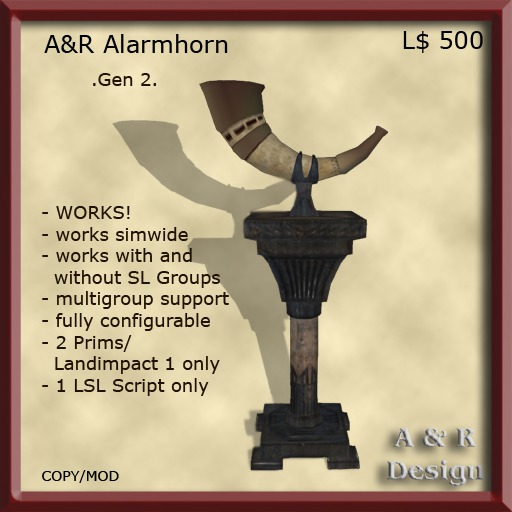

Simwide Vikingalarmhorn:
The Alarmhorn can be used as single Alarmhorn or as Simwide Alarmhorn.
You can configure the Communication Channel and the behaivor of the Horn.
You can set it to unrestricted use or use with one or more SL Groups.
A. Setup for unrestricted use:
1. Rez one Horn and right click edit it.
2. Go to the General Tab.
3. Go to the Content Tab and open the Notecard.
4. Set the Channel, Sound and Message.
5. Set the Value "Group_only:Yes" to "Group_only:No" (without quotes!)
6. Done
B. Setup for restricted use with one SL Group:
1. Rez one Horn and right click edit it.
2. Go to the General Tab.
3. Set the Group which is allowed to trigger the Alarm.
4. Go to the Content Tab and open the Notecard.
5. Set the Channel, Sound and Message.
6. Set the Value "Group_only:No" to "Group_only:Yes" (without quotes!)
7. Set the Value "Additional Groups:Yes" to "Additional Groups:No" (without quotes!)
8. Done
C. Setup for restricted use with two or more SL Groups:
1. For each Group rezz at least one Horn!
Repeat Step 2-8 for every Horn!
2. Right click edit it.
3. Go to the General Tab.
4. Set one of the Groups which is allowed to trigger the Alarm, so if you finished you have all Groups set, each Horn a other Group!.
5. Go to the Content Tab and open the Notecard.
6. Set the Channel, Sound and Message.
7. Set the Value "Group_only:No" to "Group_only:Yes" (without quotes!)
8. Set the Value "Additional Groups:No" to "Additional Groups:Yes" (without quotes!)
9. Done
###############################################################################################
Notecard Settings:
# Here you can set the Volume from 0.0 to 1.0, 0.0 means no Sound, 1.0 means loud Sound.
Volume:1.0
# Add here the Message, only 1 Line!
Message:The House is under Attack!
# The Channelnumber, never use 0, best is to use an high negative Value!
Channel:-231000
# Shall the Horn work only for the Group whith that the Object is rezzed then change the Value to Yes.
Group_only:Yes
# Have you rezzed more Horns and want use more as 1 Group then change the Value to Yes.
# Rezz at least one Horn in every SL-Group you want to use.
Additional Groups:Yes
Technical Information:
The Alarmhorn use two different Methods to communicate, a shouted Text and played Sound and for the Device Communication a Regionchat what Avatars not hear but every Prim in the same Sim.
So you can set the Horns whereever you like. You arent bound to the usual 96m Range for Shouts.
Ask me if you need a solution for Autoreturn Land!
For A&R Design
Ron Andretti
See item in Second Life- Simwide Alarmhorn, multi Groupsupport.
- Fully configurable, 2 Prims, Landimpact 1.

