![[:AT:] Large Hydraulic Crane Addon for Modular Truck](https://slm-assets.secondlife.com/assets/38540063/lightbox/AlchemyBeta_nPkBvjs3lW%20%28Marketplace%29.jpg?1777380000)
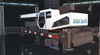
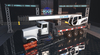
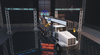

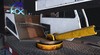






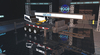
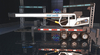
A chassis mounted Hydraulic Crane addon for your AT Modular Truck or AT Modular Trailer!
Load cargo anywhere any time!
The addon is designed as an AT Modular Truck or Trailer Chassis addon! It is not guaranteed to work with anything else!
This product is made PBR Materials, it requires a PBR Aware Viewer to see it!
***Installition***
***************
- Rez a Modular Truck Chassis or Trailer
- Rez the AT Vehicle Mounted Crane
- Press link
- The addon sets itself to the chassis frame
You can adjust the number in the description of the base part, which is the root prim before installing
That number sets the offset distance in meters from the tail end of the chassis.
You can use this to give room to add other addons, such as a flatbed to load onto.
The crane also triggers a menu for color tinting and adjusting the offset number, when you select Back Addon in the Modular Truck Chassis customisation
This does mean you get multiple dialogs for multiple addons, each addon will trigger their dialog, requiring you to click ignore on the one you dont want to use.
When using it on a trailer, edit the number in the crane's base object's description to adjust the offset, then apply trailer config
If after installition you get an error about too much physics land impact, set some linked objects to physics shape none in the feature tab!
Anything that shouldn't count to weight of the truck, and/or shouldnt have a collision hitbox
This is a complex addon, adds a lot of physics land impact to the vehicle.
**How to use**
**************
Set the parking brake when using the boom arm!
Sit on the operator chair, click the outriggers to deploy or retract the outriggers!
Before operating deploy the outriggers, and after use before moving the truck retract them!
When sat in the control chair, the controls are bound to SL avatar controls the following way
Mode 1:
A/Left - turn left
D/Right - turn right
W/Up - boom up
S/Down - boom down
E/PGUP - arm forward
C/PGDN - arm backward
Mode 2:
A/Left - hook turn left
D/Right - hook turn right
W/Up - hook winch up
S/Down - hook winch down
E/PGUP - unbound
C/PGDN - unbound
You can click the button/stick part of the cab to change control modes, or use the gesture
Click the hook or use gesture to attempt to attach cargo underneath of it.
Cargo requires the included Cargo Script to be inside of the cargo object's contents.
It is the same standard cargo script for carrying cargo in truck flatbeds, or pickup up with forklifts.
You can use the included gestures while in the seat, to make crane operation more swift.
These are bound to
B - Mode Switch
X - Hook/Unhook cargo
You can add the following commands to your own gestures to the same effect
/1modeswitch
/1hookcargo
if you want to cheatily reset everything to default position, edit the crane cab, and set it's description to
<0.000000, 0.000000, 0.000000>, <0.000000, 0.000000, 0.000000>
then tap a keyboard control while seated in the cab. The crane will snap back to default.
*** Customisation ***
*******************
You can retint the PBR materials on the white sections, or use the customiser menu to input a color vector
Veja o item no Second Life- PBR Materials
- Retintable
- custom physics shapes
- Fully functional

![[:AT:] Affiliate Vendors Pack (Boxed)](https://slm-assets.secondlife.com/assets/9731820/view_small/AT_Affiliate_Vendors_marketplace_image.jpg?1400972054)
![[:AT:] Modular Trailer](https://slm-assets.secondlife.com/assets/30472958/view_small/Marketplace.jpg?1635250426)
![[:AT:] Lonestar L200](https://slm-assets.secondlife.com/assets/34899236/view_small/Marketplace1.jpg?1710855244)
![[:AT:] Blix F-Hex](https://slm-assets.secondlife.com/assets/35314698/view_small/AlchemyBeta_Ev8xzmPkSh%20%28Marketplace%29.jpg?1718110162)
![[:AT:] Armada MALAMUT](https://slm-assets.secondlife.com/assets/36868354/view_small/AlchemyBeta_KNF70EXghi%20%28Marketplace%29.jpg?1746534451)
![[:AT:] Stern-Dahl OmniGeraet](https://slm-assets.secondlife.com/assets/38409071/view_small/AlchemyBeta_N8QjGgGrNr%20%28Marketplace%29.jpg?1774961714)
![[:AT:] Armada DD 8V92 Engine for Modular Truck](https://slm-assets.secondlife.com/assets/38473993/view_small/AlchemyBeta_DkB1EacsI1%20%28Marketplace%29.jpg?1776169000)