![[:AT:] Quonset Hut Kit](https://slm-assets.secondlife.com/assets/38371036/lightbox/AlchemyBeta_LW3Po1nbqT%20%28Marketplace%29.jpg?1774356623)
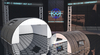
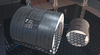
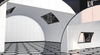
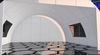
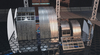
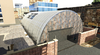
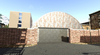
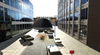
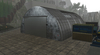
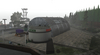
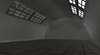
Modular Quonset Hut pieces
This product is designed with PBR Materials, it requires a PBR aware viewer to see it correctly
You can retint the white painted walls, it will also however retint the wood that shows in places as wear and tear.
You can use your own materials on these wall faces, they are normal tiled textures.
***Parts List***
****************
AT Modular Quonset Hut Solid ------------ Solid cylinder wall, copy another to the other side to form the hut shape
AT Modular Quonset Hut Window ----------- Cylinder wall with window, copy another to the other side to have windows on both sides, or use a solid for one side window only
AT Modular Quonset Hut Small End -------- End cap wall to finish the length of the hut. This is also only half, so copy another to the other side to form the hut shape
AT Modular Quonset Hut Small End Arch --- Arch cap wall, allowing for an entrance or to add windows, can build anything in the gap. You can mix it with a solid piece and arch piece in other side.
Window Small ---------------------------- Standalone Window piece
Window Large ---------------------------- Standalone Window piece
The small Hut solid and window pieces also have a low land impact version, which uses the same LOD math as the large pieces, making them visually impact from closer distances, but trades off to lower land impact.
All the same parts also have the large quonset hut variant too
Small hut kit builds a 12 meter wide structure that is 6 meters tall
Large hut kit builds a 24 meter wide structure that is 12 meters tall
Large segments are 8 meter long, small segments are 4 meters long, add more segments to vary length.
***Building***
**************
Each segment of the hut is a half piece, duplicate and rotate to other side. SL's build allign tool is handy for putting together segments.
The arch End caps can have door ways or windows, or any kind of gaps built into them with prims easily, You can line up the texture repeats and offsets like normal prims.
Adjust Length of the hut by copying segments.
You can add your own floor with a prim box, or mesh model of any kind. PBR Materials are advised on this if you used the default PBR material interior texture, or any other custom PBR material for the interior.
Once the hut is built, you can uniform resize the entire structure to further refine your sizes. Larger sizes will increase land impact!
***Reflection Probes***
***********************
Due to this being a PBR textured item, it requires reflection probes for the inside to be lit correctly from the windows.
However because it is a cylinder shaped building, it can be tricky to set it up with box probes and sphere probes.
Here is a possible approaches to do this:
- Add one large box probe that covers the entire volume of the hut for interior, set it's ambience higher like 5 to 20
- Add several sphere probes for the outside overlapping each other, covering the cylinder walls from the outside, set ambience to 0 on these.
These sphere probes will fix the reflections and lighting from the outside added by the large box probe's overlapping edges.
- Add a box probe for each end of the hut from the outside, with ambience set to 0
You can add sphere probes inside windows and doorways to maximise the bounce light and ambient light from them.
Increase the ambience value for interior probes between 5.0 and 20.0 or greater to make the interior area less dark, it is up to preferences and windlight skies used.
Veja o item no Second Life- PBR Materials
- Retintable
- custom physics shapes

![[:AT:] Affiliate Vendors Pack (Boxed)](https://slm-assets.secondlife.com/assets/9731820/view_small/AT_Affiliate_Vendors_marketplace_image.jpg?1400972054)
![[:AT:] Universal Door Keypad Plugin](https://slm-assets.secondlife.com/assets/12305568/view_small/Marketplace.jpg?1441663725)
![[:AT:] Ceiling Vent Kit](https://slm-assets.secondlife.com/assets/34568289/view_small/MarketplaceNew1.jpg?1705332636)
![[:AT:] Universal Door Industrial Bay](https://slm-assets.secondlife.com/assets/36609245/view_small/AlchemyBeta_hdWjxGO7Ak%20%28Marketplace%29.jpg?1741697692)
![[:AT:] Universal Door Crew](https://slm-assets.secondlife.com/assets/36804031/view_small/AlchemyBeta_prz2T4cWAf%20%28Marketplace%29.jpg?1745325087)
![[:AT:] ATLS2 Fluorescent Lights](https://slm-assets.secondlife.com/assets/37059199/view_small/AlchemyBeta_Jqmg5I6WTn%20%28Marketplace%29.jpg?1750162860)
![[:AT:] Roller Shutters](https://slm-assets.secondlife.com/assets/37443634/view_small/AlchemyBeta_K0JuRbb0GL%20%28Marketplace%29.jpg?1757420772)
![[:AT:] ATLS2 LED Outdoor Lights](https://slm-assets.secondlife.com/assets/38029695/view_small/AlchemyBeta_pBG4tQCReR%20%28Marketplace%29.jpg?1768308267)