![[A.W.] - iNumbers Gold v1.0 [BOX](-add me)](https://slm-assets.secondlife.com/assets/37906526/lightbox/iNumbers-Gold-MP.jpg?1765816860)
- THIS PRODUCE HAS A DISCOUNT INWORLD -
SUMMARY
0.0 Introduction
1.0 Important General Information ***MUST READ***
2.0 Getting Started
3.0 Creating 3D Text
4.0 Customizing Your Text
5.0 Advanced Features
6.0 Troubleshooting
********************************************************************************************************
***************************************
0.0 INTRODUCTION
***************************************
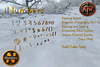
Thank you for purchasing [A.W.] - iNUMBERS v1.0! This innovative 3D text creation system allows you to generate customizable 3D text with professional results. Whether for store signs, event announcements, or decorative elements, iNUMBERS provides powerful tools for all your text needs.
The system features real-time adjustments and intuitive controls that make creating stunning 3D text as simple as typing.
- Enhanced communication system with unique per-session channels
- Improved reliability when using multiple boxes
- Better timeout handling for longer texts
- Optimized listener management
***************************************
1.0 IMPORTANT GENERAL INFORMATION
***************************************
CRITICAL - PLEASE READ CAREFULLY BEFORE USE:
MULTIPLE BOXES
--------------------------------------------------------------------------------
⚠️ IMPORTANT - CHANNEL SYSTEM:
We introduce a unique channel system that significantly reduces conflicts between multiple boxes. Each box now generates completely random communication channels when activated.
However, for optimal performance:
RECOMMENDED PRACTICE:
1. Still recommended to use one box at a time for best results
2. New system allows faster switching between boxes
3. If using multiple boxes, ensure adequate spacing between them (10+ meters)
The glow system now works independently per box, making it easier to identify which box is active.
--------------------------------------------------------------------------------
PERMISSIONS & COMPATIBILITY
- Works on any Second Life region
- Owner-only access for security
- No special region permissions required
- Compatible with most building systems
PERFORMANCE NOTES
- Each letter is a separate prim object
- Recommended maximum: 20-25 letters per text
- System optimized for minimal lag
- Glow effects are client-side rendered
***************************************
2.0 GETTING STARTED
***************************************
INITIAL SETUP
1. Rez the [A.W.] - iNUMBERS box on your land
2. Touch the box to start
3. The box will start glowing indicating it's listening.
BASIC WORKFLOW
1. Touch → Main Menu appears
2. Select "Write Text" to create new text
3. Type your desired text (letters or numbers/symbols only depending on your product, no spaces)
4. Watch as letters appear in 3D space
5. Use menus to customize
***************************************
3.0 CREATING 3D TEXT
***************************************
TEXT CREATION PROCESS
Step-by-Step:
1. Touch the box - Blue glow activates
2. Select "Write Text" from main menu
3. Type your text in the dialog box:
- Letters or numbers/symbols depending on your product
- No spaces, No paragraphs
- Maximum recommended: 25 characters
4. Click send - System creates 3D text
What Happens :
- Letters rez sequentially with unique channel assignment
- Initial spacing: 0.3 meters
- Scale: 100% (adjustable)
- Rotation: Properly aligned
- Each letter receives unique identification for reliable communication
TEXT OPTIONS
- Direction: Horizontal (left-right) or Vertical (bottom-top)
- Spacing: Adjust distance between letters (0.05m to 2.0m)
- Scale: 5% to 500% of original size
***************************************
4.0 CUSTOMIZING YOUR TEXT
***************************************
MAIN MENU OPTIONS
Direction↓ →
- Horizontal: Letters arranged left to right (default)
- Vertical: Letters stacked bottom to top
- Change anytime - existing text will reposition automatically
Settings
- Scale %: Adjust overall text size (5% to 500%)
- Spacing: Change distance between letters (0.05m to 2.0m)
Quick Adjustments:
- +25%/-25%: Large scaling adjustments
- +10%/-10%: Medium scaling
- +5%/-5%: Small scaling
- +1%/-1%: Fine adjustments
- Default: Reset to 100% scale
Spacing Adjustments:
- +1.0/-1.0: Large spacing changes
- +0.5/-0.5: Medium spacing
- +0.2/-0.2: Small spacing
- +0.1/-0.1: Fine spacing adjustments
- Default: Reset to 0.3m spacing
Text Management:
- Del Letters: Delete all current letters
- Finish: Remove scripts from letters (makes them static)
- Cancel: Stop current operation and turn off box glow

![[A.W.] - iLetters (FATPACK) v1.0 [BOX](-add me)](https://slm-assets.secondlife.com/assets/37906530/view_small/iLetters-FatPack-MP.jpg?1765817000)
![[A.W.] - iLetters Black v1.0 [BOX](-add me)](https://slm-assets.secondlife.com/assets/37906506/view_small/iLetters-Black-MP.jpg?1765816431)
![[A.W.] - iLetters Gold v1.0 [BOX](-add me)](https://slm-assets.secondlife.com/assets/37906514/view_small/iLetters-Golden-MP.jpg?1765816578)
![[A.W.] - iLetters White v1.0 [BOX](-add me)](https://slm-assets.secondlife.com/assets/37906518/view_small/iLetters-White-MP.jpg?1765816689)
![[A.W.] - iNumbers Black v1.0 [BOX](-add me)](https://slm-assets.secondlife.com/assets/37906523/view_small/iNumbers-Black-MP.jpg?1765816801)
![[A.W.] - iNumbers White v1.0 [BOX](-add me)](https://slm-assets.secondlife.com/assets/37906527/view_small/iNumbers-White-MP.jpg?1765816899)