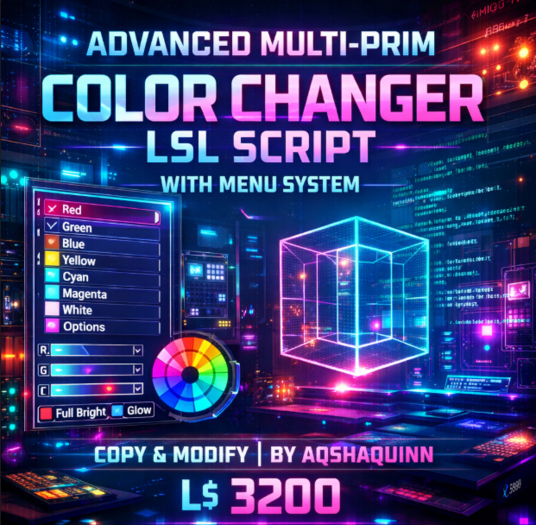

The Advanced Multi-Prim Color Changer LSL Script, created by Aqshaquinn, is a powerful yet user-friendly color management solution designed specifically for Second Life creators, scripters, and product designers. This script allows users to dynamically change object colors using an intuitive dialog-based menu system, making it ideal for both end-users and professional content creators.
At its core, this script solves a common problem in Second Life: offering clean, organized, and flexible color customization without overwhelming the user. Instead of cluttered menus or chat-based commands, this system uses a touch-activated dialog menu that guides users through color categories and individual color selections with ease.
Structured Color Categories for Better UX
The script is thoughtfully organized into clearly defined color categories, including:
Grayscale
Reds
Pinks
Violets
Dark Blues
Light Blues
Yellows
Dark Greens
Light Greens
Oranges
Each category contains carefully chosen color vectors, ensuring visually pleasing and accurate results across different lighting environments in Second Life. This makes the script perfect for fashion items, accessories, furniture, décor objects, roleplay tools, HUD-based products, and interactive gadgets.
Multi-Prim & Single-Prim Flexibility
One of the standout features of this script is its ChangeAllPrims toggle. With a simple TRUE or FALSE setting, creators can decide whether:
The entire linked object changes color simultaneously
Or only the prim containing the script is affected
This flexibility allows the same script to be reused across a wide range of products—from single-prim accessories to complex multi-prim builds—without rewriting or duplicating code.
Creator-Friendly & Marketplace Ready
Designed with creators in mind, this script comes with copy and modify permissions, allowing you to:
Rename color categories
Add or remove color sets
Customize vectors for brand-specific palettes
Integrate it with existing HUDs or systems
Use link messages for multi-script products
The script is already structured to support link_message integration, making it easy to connect with master controllers, HUDs, or larger systems without modification to the core logic.
Optimized Performance & Clean Code
Performance matters in Second Life, and this script is written with efficiency and stability in mind. The dialog listener is automatically removed after use, timers clean up inactive sessions, and memory usage is kept low. This ensures:
Minimal lag
Reduced script time
Safe use in crowded regions or events
The clean, well-commented structure also makes it ideal for learning, editing, and extending, even for intermediate scripters.
Ideal Use Cases
This script is perfectly suited for:
Color-change furniture and décor
Wearable accessories and attachments
Roleplay tools and interactive props
Fashion items (shoes, jewelry, armor, gadgets)
Club and event props
Customizable gift items
HUD-controlled systems
Whether you’re selling a polished product on the Marketplace or building private tools for your own use, this script adapts easily to your workflow.
Professional Branding by Aqshaquinn
Created by Aqshaquinn, this script reflects a strong focus on usability, performance, and professional presentation. It’s built not just as a functional tool, but as a creator-ready system that adds real value to Second Life products.
By offering intuitive controls and a polished experience, this script enhances customer satisfaction while reducing support needs—making it a smart investment for any serious SL creator.
Permissions
✔ Copy
✔ Modify
✖ Transfer
- Interactive Touch Menu System – Easy color selection via categorized dialog me
- Multi-Prim or Single-Prim Control – Change colors for the entire object or a s
- Predefined Professional Color Sets – Includes grayscale, reds, blues, greens,
- Optimized & Lightweight LSL Code – Low script load, smooth performance
- Copy & Modify Permissions – Fully customizable for creators and developers