~~~~TRY THE DEMO INWORLD BELOW~~~~
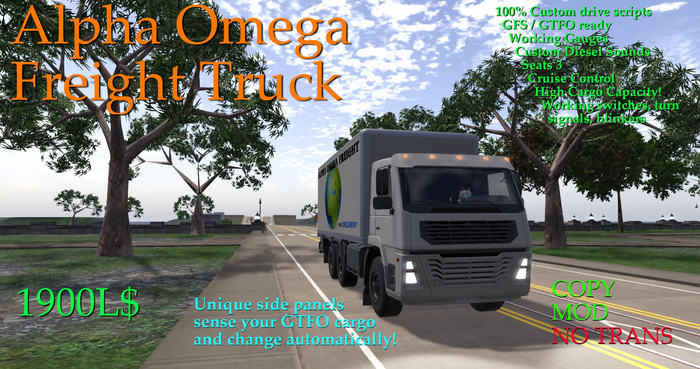
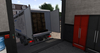
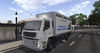
Cruise control, working switches and instruments, high capacity. All-new side-panel changer that displays the type of cargo you are hauling (many of them auto-change when you load GTFO!) The best freight truck in SL! 92LI.
~~~~SIDE PANEL AUTOMATIC CHANGER~~~~
New for this vehicle (I think for the first time in SL!) is an automatic texture changer built into the side panels. When you load GTFO cargo, approximately 5 seconds after the load completes, the side panels should automatically change to show the cargo you are carrying now. I have tried to include most of the more common ground cargo choices, although if a cargo load that I do not have a texture for (yet) is loaded, then the truck will show the default image.
Because this is highly experimental, I have also made a menu system where you can manually select the image by menu (click on the side panel when you are sitting in the driver seat).
Other than the cargo choices, there are some other menu options as well:
*Default* - This is the Alpha Omega Freight sign
*Auto Off* - Truck will NOT automatically change on GTFO loads (you can still change it with menu)
*Auto On* - Truck will automatically change on GTFO loads (this is the normal setting)
*UUID* - Opens a textbox where you can input the UUID of a texture you choose for the side panels
*Hide* - Side Panels will become transparent (undo this by any of the texture choices including *Default*)
~~~~NOTES ON DRIVING~~~~
This is a very large heavy vehicle, and as such, will have a wider turn radius and slower top speed than most cars. In order to successfully drive the truck on any road, it is best to manage your speed with the gears. The slower you go, the tighter your turns will be. You can release the forward key and "coast" while turning for even tighter turns, just pressing the forward key for little pulses of power to manage your speed in turns or in a parking lot. The brakes can also be used to a similar effect.
The truck features an all-new cruise control system which can be enabled/disabled by the chat command "cruise", or by holding down the forward key and pressing the back key together to toggle it. When enabled, the truck will hold a medium speed based on the gear choice. To go faster, change gears up. To go slower, change gears down. A major feature of this cruise system is that the brakes and gas pedals still work! If you hold the back key (brake) the truck will slow down to about half of the current cruise speed. This is often enough to make a turn without shifting below gear 3. If you hold the forward key (gas) the truck will accelerate to about half faster than the current cruise speed, very useful for passing. Releasing these will cause the truck to go back to current cruise speed.
It is best to practice your truck driving a bit before trying the cruise system, but once you master it, you might never want to drive without it again!
See item in Second Life- 100% custom drive scripts by AW
- GTFO and GFS ready
- side panels change to show your GTFO cargo!
- unique cruise control system
- tuned for SL roads


