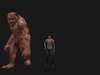
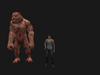
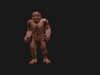
-AniMesh Monster my Friend-
Qu'est dans la boîte ?
-AniMesh Monster my Friend-
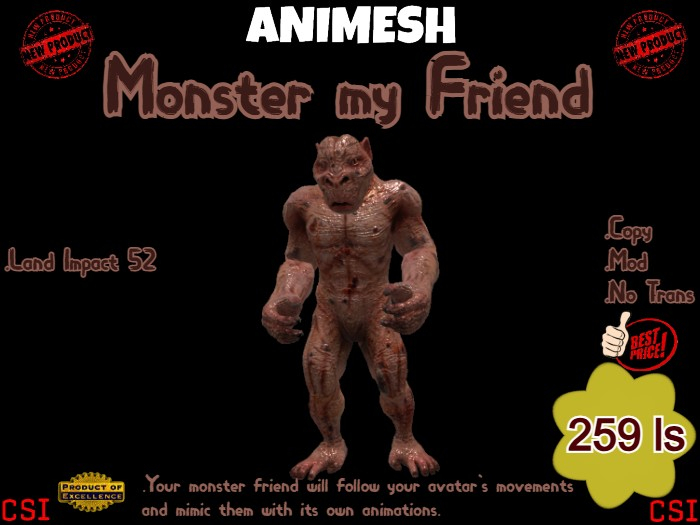
.1 Monster my Friend - Impact Terre 52
Copy/Mod/No Trans
-AniMesh Monster my Friend:
▶▶ Vous aurez besoin d'un 'viewer' compatible Animesh pour utiliser ce produit!
▶ Votre ami monstre suivra les mouvements de votre avatar et les imitera avec ses propres animations.
▶ Il a également une séquence d'animation qui se répète pendant que votre avatar est inactif, semblable au fonctionnement des AO.
▶ Il a également un menu pour choisir quelle animation vous voulez qu'il fasse.
▶ Vous pouvez également donner un nom à votre ami monstre dans le menu.
▶ Vous pouvez également activer les sons lors de la lecture d'une animation.(On/Off)
▶ Matériaux activés (normal et spéculaire).
▶ 100% Mesh.
Mode d'emploi:
=========
➤ Ajoutez votre ami monstre au centre de votre avatar.
- Il suivra les mouvements de votre avatar.
➤ Ajustez la hauteur et la position comme vous le souhaitez en mode édition.
➤ Pour choisir une animation, toucher-le pour afficher le menu.
- Choisissez le bouton 'Anims'.
➤ Pour définir son nom,toucher-le pour afficher le menu.
- Choisissez le bouton 'Name'.
➤ Activer ou désactiver le son via le menu.
● Astuces:
⚫ Vous pouvez ajouter ou supprimer des animations dans la notecard '*Idle'.
Mais les animations doivent apparaître dans la notecard et dans l'inventaire de votre ami monstre.
⚫ Vous pouvez ajouter ou supprimer des animations dans la notecard '*Anims'.
Mais les animations doivent apparaître dans la notecard et dans l'inventaire de votre ami monstre.
⚫ Vous pouvez aussi changer les animations de marche,voler,courir...etc
Mais vous devez renommer les animations exactement comme dans l'inventaire de votre ami monstre.
⚫ Vous pouvez ajouter ou supprimer des sons dans la notecard '*Sounds'.
Ouvrez-la pour consulter les informations sur l'utilisation des sons.
-Regardez mes autres articles
-Mesh,animesh,voitures,gadgets,animaux...est plus encore.
-Appreciez-
- AniMesh Monster my Friend
- Matériaux activés (normaux et spéculaires)
- 259 ls