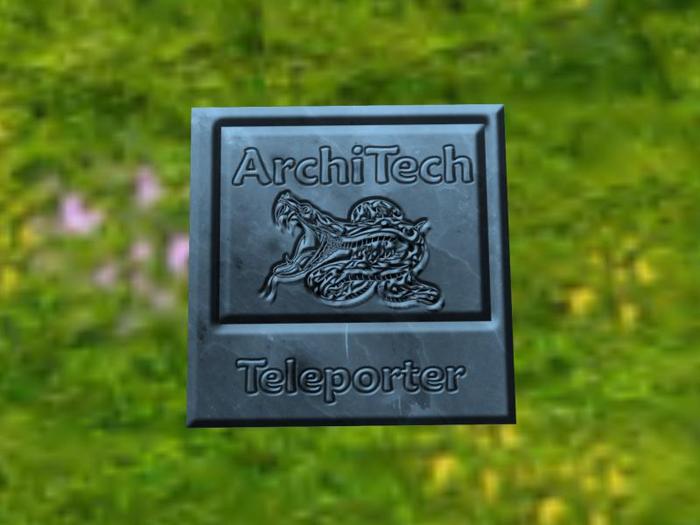
The ArchiTech Teleporter gives you a simple and effective way to teleport in or out of your Skybox or Dome or sky platform.
You can also make it look exactly as you like: Size: Shape: Colour: Texture as it is Copy and Modify.
It can also be used for any teleport you make regularly without a range limit.
There are two teleport methods.
To teleport from the skybox to the ground
1. Place the teleporter in the position you choose
2. Edit the teleporter
3. Set the Description text to the access mode and destination coordinates you require:
Access mode can be the word "all", "owner" or "group"
if access mode isn't specified it defaults to "all"
The destination coordinates are numeric values in the format X,Y,Z separated by commas and define a point on THIS sim
X is the West to East position on the sim and must be between 0 and 255
Y is the South to North position on the sim and must be between 0 and 255
Z is the height on the sim and must be 0 or higher
For example - group,128,128,1000
the destination coordinates can be in landmark format (<128,128,1000>) if you prefer
To Teleport from the ground to the skybox or dome
1. Edit the teleporter
Add a Landmark for a location on THIS sim to Contents and only specify access mode in the teleporter Description
The benefit of this method is that if someone else edits your teleporter they cant see the coordinates for your skybox.
When you are finished resize, retexture or recolour to suit.
Enjoy whizzing back and forth
ArchiTech Adder
ArchiTech Designs is a Member of ESSL (Ethical Suppliers of Second Life) and takes its responsibilities in terms of Customer Care, Quality Products and Fair Pricing Policy very seriously.
Customer service and after sales care is our number one priority so please do not hesitate to contact me if you have any issues or questions concerning our products.
Your feedback is always appreciated both in SL Marketplace and In-World.
Note: When buying houses and property we advice that you do NOT delete the rezz box when you have sited your new build. It may be that you wish to relocate it in the future or even simply adjust its position. Make the rezz box transparent and phantom and you will always be able to find it and move your home with ease. (this excludes contents you have added of course so remember to snag them first!).
- Amazingly only 1 prim without any range limit
- Versatile as can be used in any skybox, dome or platform
- Copy and Modify with access permissions
- Add your own texture and place on the wall or floor
- VERY easy to install and use... ANYWHERE at all


