


BA Travel Assistant
v1.4.0
» Introduction
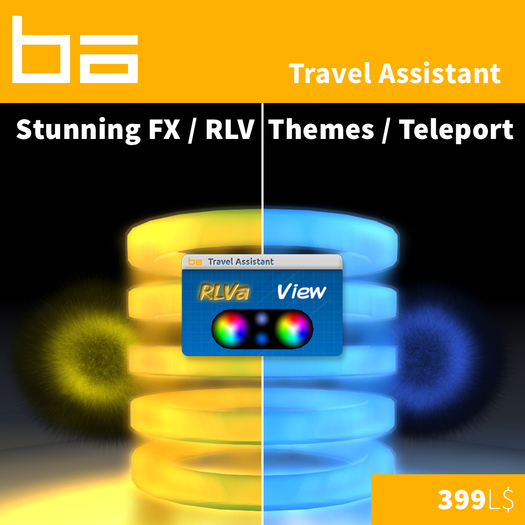
The Travel Assistant is a unique, special-effect-packed, reliable, fast, in-sim teleportation device!
It works with Ray Cast to determine what you are currently looking at, and sending you to that location.
This device is packed with OpenLayout from Nexii Malthus. Additionally, we make use of RLV to auto-sit
your avatar for a convenient and fast teleporting experience. Finally, there is additional functionality which
is accessible by utilizing the chat commands listed below.
» Teleportation
From Camera View
Uses your follow camera, alt camera, or mouselook view point to determine where you are looking. A ray cast is then fired from your view to ascertain what you are looking at (center of camera/view). It uses this point
as a destination and begins the teleport.
Direct to Avatar
Will teleport you directly above the specified avatar.
Direct to Height
Will teleport you to the specified height.
Direct to Coords
Will teleport you directly to the specified coordinates.
» Auto Camera
Auto camera is a feature that attempts to reduce the likelihood of your avatar getting temporarily
stuck in the corner while the teleport takes place. Enabling this may help or hurt the experience, so
give it a try. If you don't like how it behaves simply disable it using the given chat command.
» Theming
The two parts of this device that are theme-able are the teleport
rings and the teleport exit portal, They are set via the left and right
color wheels on the color pallet respectively. Alternatively, the chat
commands can be used.
» RLV
The RLV integration into this system is very simple and makes for an amazingly convenient experience.
When enabled it will automatically force your avatar to sit on the teleportation object
and move you to your desired destination. When disabled, a prim will be visible
to sit on manually. In the event that a teleport fails this device should make itself visible.
» OpenLayout
This is a phenomenal piece of technology developed by Nexii Malthus. It allows you to drag the
HUD around naturally as if it were a window on your computer. It supports edge snapping,
the ability to snap the HUD to edges of your screen, and other OpenLayout compatible HUD's.
- Stunning Visual Effects!
- Fast and Reliable In-Sim Teleporting
- RLV Enabled
- OpenLayout Compatible
- MESH Color Pallet


