Blue Dragon Design Fishing HUD
=====================
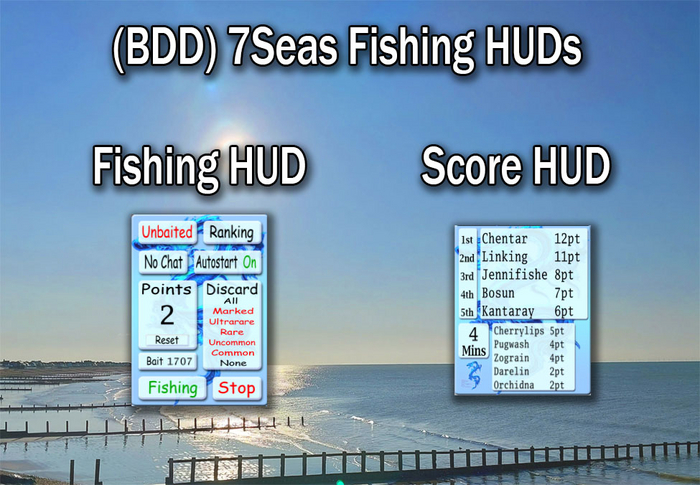
Makes your fishing easier! Just add it along with your rod and you are ready for the average fishing contest. You can use the Autostart feature or press the Start Fishing button on the HUD. The amount of bait you have will be shown as soon as your rod reports its first cast result. Your score is updated each time your rod reports a catch.
If you are fishing manually you might want to press the Reset button when the contest starts so that your score is accurate. If you want to start fishing before the contest begins you can start manually with Autostart on and the autostart will still stop the fishing at the end of the contest.
Both HUDs can be minimised to any side of your screen.
Blue Dragon Design Score HUD
=====================
Shows the top 5 or top 10 fishers at any contest. Only the top 5 fishers will be shown with the standard 7Seas contest board but if the contest is being run by the Blue Dragon Design Contest board then you will see the top 10 fishers.
Also shown is the remaining time until the contest ends. Note that the contest board sends the time just once at the start of the contest, so if you arrive after the contest has started the time will not be displayed, but the fisher names will still show normally.
There are no controls or options needed for this HUD. Just wear it and it will automatically show the current contest fisher names.
Disclaimer
=======
Blue Dragon Design and Blueman Paul have no connection with 7Seas fishing and do not represent them in any way. If you have any problems then please direct enquires to Blueman Paul.
- Fishing HUD & Score HUD Included
- Auto Start/Stop Provided
- Bait Remaining Shown
- Selectable Discards

