![[B&W] Ring Pendant Light](https://slm-assets.secondlife.com/assets/37217365/lightbox/%5BB&W%5D%20Ring%20Pendant%20Light%20-%20DisplayShot.jpg?1753318217)
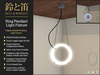
We proudly present the Bell & Whistle - Ring Pendant Light. An Elegant and Highly Detailed Working Light with a Modern Design.
Features of this light include:
■ Touch Toggle Light On/Off
■ Click & Hold for Configuration Menu
■ Select Any Color Possible
■ Configure Light Intensity, Radius, Falloff, and Glow
■ Configure Sound, Delay, and Flicker (Optional)
■ Control Individual or Many Lights at once when Linked Together.
■ Custom Scripted.
■ All of this in a Detailed 1LI Design.
QUICK START GUIDE
Rez the light in an appropriate location. You may link multiples into a single set or integrate into a bigger structure*—this should work just fine. However, note that all linked lights will turn on/off with a single click. If that’s not something you want, keep them separate. To access the menu for settings, click the fixture and hold the mouse button down for a second.
THE OWNER MENU
To access it, as stated above, just click and hold for a second and it will pop right up. From the main menu, you can pick a more specific group of details you might want to adjust. The menu will time out 60 seconds after the last interaction. This will remove the open listen, so if you need to make more adjustments, you will need to re-open the dialog. All the sub-menus will open with [ This ● ] setting selected as a precaution. Use [ All ● ] if you want your changes to affect all linked lights at once.
COLOR MENU
Here you can adjust the red, green, and blue color components individually or all at once. This will change the lit faces of the fixture itself as well as the emitted light. Included is the combined value of the current color and the adjusted luminance—for all you nerds out there ;)
LIGHT MENU
Here you can change parameters for the point light, such as intensity, radius, and falloff. Also, the amount of glow.
EXTRAS MENU
Here you will find settings for sound volume, which is quite self-explanatory. Switch delay governs the maximum amount of random wait time before the light turns on. This is a special feature to represent how used light tubes work in real life, with a higher degree of fidelity. The Flicker setting will add some random disturbance. It is most rapid near the middle; after that, it flips and will be more and more half-lit, sprinkled with a little bit of full power.
ACCESS MENU
By default, everyone will be able to switch the light, but here you can limit that control to members of the same group it’s rezzed under, or just to yourself as owner.
NOTE: This setting does not allow anyone else to access the menu. It’s only for the switch function. Configuration is reserved for owner only.
- Touch Toggle Light On/Off
- Click & Hold for Configuration Menu
- Select Any Color Possible
- Configure Light Intensity, Radius, Falloff, and Glow
- Configure Sound, Delay, and Flicker (Optional)

![[B&W] Modern Minimalist Pendant Light](https://slm-assets.secondlife.com/assets/37217407/view_small/%5BB&W%5D%20Modern%20Minimalist%20Pendant%20Light-1400x1050.jpg?1753318939)