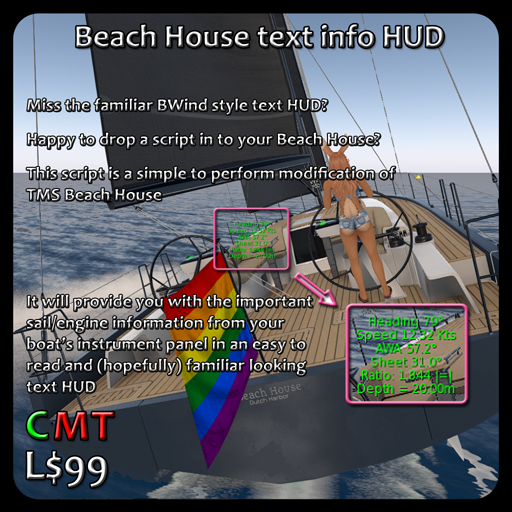

What is it?
It's simply a script that reads the relevant parts of the boat's linked objects and turns that in to a human readable hovering text display.
NOTE: the apparent wind dial seems to disagree with the digital display on the mast sometimes, this is the boat's own doing. For some reason the boat's own code seems to disagree as to what the apparent wind is doing. I've only noticed a large difference when in irons and pointing at the wind, but other small differences of a degree or two are not uncommon.
When you are out sailing, the instruments on your boat will indicate different pieces of information to you. The most useful of these are interrogated by the script, crunched with a bit of maths and then turned in to a nice friendly and hopefully reasonably familiar display.
The display consists of the following items:-
Heading (in degrees)
Speed (in Knots)
then, if the sails are up:-
Apparent Wind Angle (in degrees)
Main Sail Angle (in degrees) (if deployed)
Jib/Spinnaker (Headsail) Angle (in degrees) (if deployed)
Ratio of Apparent Wind Angle to Sheet Angle
then:-
Depth (in metres)
then, if the engine is running:-
Throttle setting
In addition to this, the text will be coloured in the normal BWind colours, along with an indication on the Ratio line of how the sails are set:-
Red text means the sails are too loose, and is also signified by the text |>><<|
Yellow text means the sails are close to optimal, and is also signified by the text |><|
Green text means the sails are in the optimal range, signified by the text |=|
Cyan text means the sails are too tight, signified by the text |<>|
If you're using the engine, the text will turn white even if the sails are deployed. This is a visual reminder that you have the ending running.
Installing the script
-----------------------
The script can be installed in any part of the boat, it really doesn't mind where you put it.
HOWEVER! Choose somewhere that will place the HUD's text where you can best see it, my recommendation is to place it in the flag or flag pole as the boat is quite large and anything forward of that will make the text smaller to read.
Avoid putting the script in any part of the boat that has a specific action when touched, such as doors, hatches, windows with drawing curtains, that sort of thing. If in doubt, touch the part before putting the script in it. If you just get the normal couple/single animation pop up then you should be okay to use that part for the script.
Anywhere that puts the text outside the hull's envelope and on the centre line of the boat should work as long as you're happy with the position. Even placing it somewhere not on the centre line works as far as the script is concerned. Try the helm wheel, the instrument housing, even the rudder, things like that. Whatever works for you is fine for the script.
If you're adventurous you could add a prim cube to the boat, set it invisible and put the script in it. That way you can move the new cube where you can best see the text.
Basic installation
--------------------
Installation is simplicity itself!
1) Rez your boat
2) Edit it
3) Using 'Edit Linked', copy the script from your inventory in to your chosen part of the boat
4) Pick up your boat
5) Enjoy!
More adventurous installation
------------------------------------
1) Rez your boat
2) Rez a plain cube
3) position the cube where you think you're going to best see the text
4) edit the boat and set all scripts to NOT RUNNING (from the build menu)
5) unlink the root prim from the boat (this is link number 1)
6) link your new cube to the root prim (select the cube, then select the root prim last, otherwise the root will be linked to the cube)
7) link the previously unlinked parts to the root prim
8) set all scripts to RUNNING (from the build menu again).
9) put the info HUD script in to your newly added cube
10) make the cube invisible
11) pick up your boat
Using the script
-------------------
When you next rez your boat, simply touch the part containing the script to toggle the text on and off.
While the boat is in motion the text will display pertinent information taken directly from the boat's own instruments. It's not made up by the script, it's the actual rotation of the dials turned in to text.
You may notice slight differences between the readings shown and the readings shown by other HUDs you may use, such as heading and speed. This script reports the boat's own instrument readings, unfudged. I have not tweaked them at all to match the navigational aids I normally use as there would just be no point in doing that.
It should display as much information as is relevant to how you're currently using the boat. Sail/engine info will be displayed if they're currently deployed :)
See item in Second Life- provides a textual information HUD for your Beach House
- uses a familiar BWind style presentation
- just one script to place in your Beach House
- presents information on sails and engine settings
