

THIS HUD ABSOLUTELY REQUIRES RLV IN ORDER TO FUNCTION!
VIDEO DEMONSTRATION LINK AT THE BOTTOM OF THIS LISTING!
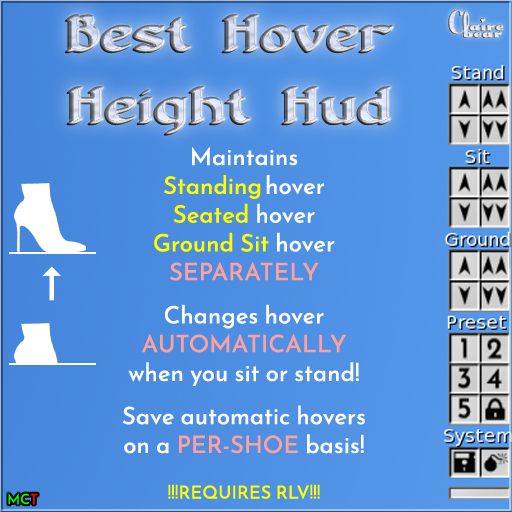
● Provides you with three separate hover height values: One for standing, one for sitting on furniture, and one for sitting on the ground.
● Changes your hover height automatically when your avatar changes between these three states.
● Allows you to change your three hover height values on the fly.
● Save literally thousands of items to the hud with unique sets of stand/sit/gsit hover values assigned to each one (custom hover for every pair of shoes!)
● Saving items does *NOT* require use of #RLV inventory folders. Save them directly to the hud with the press of a button in a completely menu-driven saving interface.
● Automatically load and apply saved hover values when a saved item is attached to your avatar.
● Saving items has an autodetect system that picks out your most likely items that you would want to save, but also offers you to make a manual selection instead.
● Five buttons for instant hover presets that can be customized.
● Lock button that will prevent the hud from becoming detached.
● Can change the potency of the up and down buttons as well as the values on the presets via click-and-hold.
● Two versions of the hud: One sits on top of your AO hud and has a minimize button at the bottom. The other sits below your top bars in your user interface and has a minimize button at the top.
● "Expansion" huds that are stripped of all features except the preset buttons. These can be used simultaneously with the main hud for additional presets.
● Very intuitive and easy to use interface design.
● Hud allows modify, so it can be tinted.
● Never need to rightclick>appearance>hover height ever again.
● This hud does *NOT* "detect" what the appropriate hover height value is for individual animations on furniture for your avatar size. It merely remembers what your standing, sitting, and groundsitting states' hover values are, on a per-item basis, and applies them when you switch states or attach saved items.
As always, if you have any problems, issues, questions, or concerns, please contact me and I will sort everything out.
HISTORY:
August 18, 2025 — 2.0 (Can now save hover values on a per-item basis)
April 27, 2022 — v1.2 (Feature Adjust)
April 11, 2022 — v1.1 (Bug Fix)
April 1, 2022 — v1.0 (Initial Release)
- Maintain separate hover height settings for standing, sitting, & ground sitting
- Automatically adjusts hover height when standing and sitting
- Save unique hover settings on a per-item basis
- Automatically adjusts hover height when attaching saved items


Excellent
This HUD is perfect in all ways, design, features, documentation
Never even thought about something like this
I fight all the time, setting shoe heights and saving them in clothing folders and have to adjust them all the time. No more now. Just a couple clicks and you can set your hover height perfectly. Also if you use firestorm built in AO as I do, the ground sits height can't be adjusted but this hud thought about that too so now I can sit on the ground without sinking in quicksand or floating.
This hud also minimizes so it takes up almost no screen space.
AT LAST!!
I have a short and petite avatar who wears heals, it is the absolute bane of my SL existence having to constantly change my hover height. Seriously, I can not thank you enough. This is amazing.
