
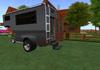
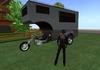
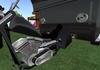
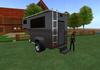
COPY/MOD
**** Partial Mesh *****
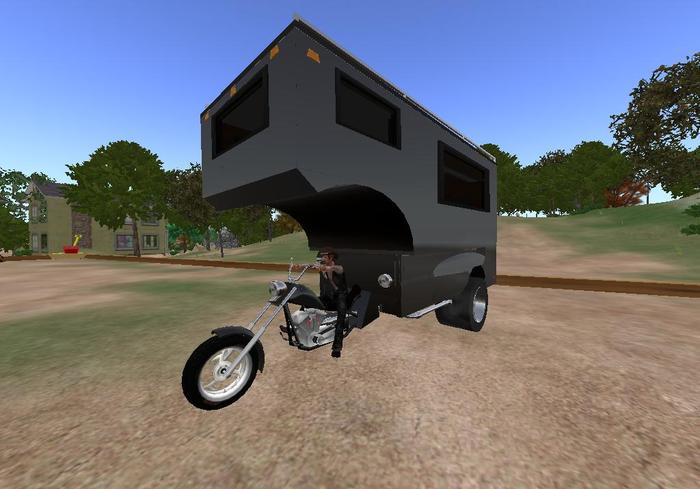
Authentic V twin sounds (idle, cruise, shut off)
Dual tires on rear axle
.
Passenger boards by left clicking the back of the seat of bike.
DRIVING:
Right click anywhere on the Vehicle and click RIDE to drive.
Wear Driver HUD if desired. (not necessary to operate vehicle). HUD will appear in bottom of screen. Click it to expand the HUD. Click "POSES", "SETTINGS", or "ENGINE" to expand the sub menus in the HUD.
Vehicle functions can be invoked with the menu system. (Left click vehicle for Main Menu)
Bike FEATURES:
LATEST LOWEST LAG SCRIPTING
HUD (Heads Up Display to activate all features and has analog speedometer)
Animated Primary Drive Belt.
Exhaust (smoke enabled/Disabled in Advance Menu)
Engine (can start engine without sitting in vehicle)
Unlock (allow anyone to drive your vehicle)
Group (allow group to drive your vehicle)
Adjustable driver and passenger pose (to fit your avatar)
Lights (3 head lights, tail lights, running lights)
Horn
Burn out (with smoking tire)
Rev Engine (only while using the HUD)
FLIES (in FLIGHT mode..with blue vapor from all wheels)
Adjustable gears (comes with 6 gears...but you can add more)
Turbo mode (effectively triples speed of all 6 gears)
Alarm (alarm will sound if anyone tries to enter your vehicle)
Automatic transmission (enabled in the option menu..comes with manual shifting)
Auto-lights (lights come on when engine running)
Resize (can resize the vehicle in the option menu)
Rename (can rename your vehicle in Advanced menu)
Camera (set to different camera view when driving)
CAMPER FEATURES:
Retractable steps (rear of camper)
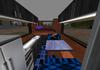
Retactable Dinette w Sit poses. (clik back of Dinette cushions to retract the dinette and convert to a cuddle bed) Clik bed to see pose menu,
Cuddle Bed (many nice poses in both beds. Poses are adjustable with the bed menu.)
Retractable Window Blinds (all windows)
Youtube viewer (behind blind at foot of overhead bed. You will need the SLv2 or Firestorm viewer to see the videos. You just plaste your youtube URL into the floating address bar on the youtube viewer)
...........
PAINTING THE VEHICLE:
Vehicle is MODifiable so you can paint it ANY color you like in one minute. This is easily done by right clicking the vehicle and going into edit and clicking "EDIT LINKED". Click the "Select Face" check box. Click the "Texture"tab, and click the color box. At this time insure you are clicking on the face of the vehicle that you want to color (FACE WILL HIGHLIGHT) and choose a color from the color pallet. Do this to all faces of the vehicle body you wish to color. When you are done, take a copy of the painted vehicle into your inventory so you can rezz your newly painted vehicle instantly. (you may want to edit the name of your painted vehicle to indicate the new paint color first before taking it into your inventory. You can edit the name of the vehicle by going into edit (insure "EDIT LINKED" is not checked at this time, and click the "GENERAL" tab. There you will see the name of the vehicle and just rename your vehicle.)


