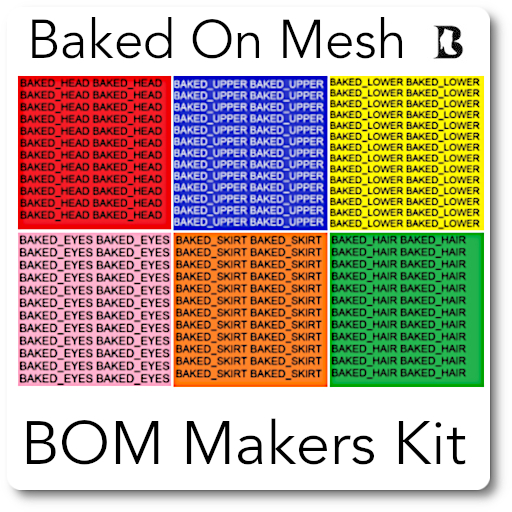

BOM Makers Kit
Some building knowledge helpful, but not required.
What is Baked On Mesh.
Why Baked On Mesh, and how it works.
Detailed note with examples; An instructional.
>> Included in this Kit ( All examples are full permissions ) :
- Short Top White : Shirt & Texture. For Female.
- Pants Leggings White : Pants & Texture. For Female.
- Shirt White : Shirt & Texture. for Male
- Short Pants White : Pants & Texture. for Male
- Long Pants White : Systems Pants for Male
( To Color shirt & pants. Right click in inventory while worn.
Choose edit. Click textures. Click on Color window. Use Palette, save as.)
- Textures are in the Note : For the Shirts & Pants.
The Note includes more info and links than is here in this description.
- 'The Aditya 90 BOM Avatar' : Male ( No female test Av. was available ).
This is a simple mesh avatar to test BOM. Not for Resell. Its very basic.
One is already set-up for BOM : One is for 'you to set-up for BOM' .
- New Universal Layer : Male : Female : Examples : Edit to change. Full Perms.
The new "Universal Wearable Layer" can also be used for these new BOM textures.
This UWL can hold over 10 Tattoo Textures for your avatar.
Universal Layer can be found in Appearance : New Clothes ( Gear ) : Universal Layer.
* Baked On Mesh allows you to apply a texture to a mesh body.
Apply several texture layers, of skin, tattoos, clothing, make-up, etc.
This lessons the need for Onion Layered Mesh Bodies and Heads,
making scripts and HUDs unnecessary. *
>> To Set up an Avatar to * Baked On Mesh *
Wear a classic systems Male avatar. Detach all attachments and alpha layers.
Wear the 'Aditya 90 BOM Avatar-Not Set to BOM'. from inventory.
Right click worn Aditya Av. in inventory and choose edit. Check boxes 'Edit Linked' & 'Select Face'.
Next : Choose the Texture tab in Edit window. Use the left-right arrows under Edit Linked,
to change faces on the mesh avatar. These will show up as high lighted yellow when picked.
In edit window, click on the texture photo box.
This opens the Pick:Texture window. Check the Bake box.
A drop down menu appears. Choose the body part your editing.
Repeat this for all the other body parts.
The head set to BAKED_HEAD, eyes, set to BAKED_EYES. lower body to BAKED_LOWER.
Repeat this manual adding of Baked On to all your body parts.
After all are set to Baked On, you can change skins and clothes etc, normally.
BOM will change to whatever skin, clothes the classic avatar wears.
Wear SL systems clothes, and Alpha Layers, like a normal classic avatar.
Change skins as you would a classic SL Av.
Most avatars will already be set to BOM. Use this manual method when necessary.
>> Creating Clothes using the Systems Appearance Mode.
Right click on your avatars head and choose Appearance : Edit Outfit.
In this Appearance window, down the left side to the bottom is a Gear.
Click on this 'Gear' to open menu, choose 'New Clothes' the shirt, pants, etc.
Click shirt and the Shirt window will open. See your choices, Fabric & Color Tint.
If you are using a shirt texture, drop it into the Fabric window. If no template is used.
It is possible to use any texture ( dots etc. ) and use the sliders to create your shirt.
When complete 'Save As' and your shirt will appear in your Clothing Folder.
Use Gimp ( https://www.gimp.org/ ), or your fav. photoshop program to create textures for clothing.
Templates are available on the Marketplace and on various blog sites.
Many are free, I will list a few here.
>> FREE Clothing Templates : [alpha.lab] *Full Perm* Textures for Clothes Creating
https://marketplace.secondlife.com/p/FREE-GIFT-Full-Perm-Basic-Textures-for-Clothes-Creating-1-tgapsd-preview-clothes/377840
https://marketplace.secondlife.com/p/FREE-GIFT-Full-Perm-Basic-Textures-for-Clothes-Creating-2-tgapsd-preview-clothes/377841
>>https://www.outworldz.com/ ... https://www.outworldz.com/download/
>>http://wiki.secondlife.com/wiki/Clothing_Tutorials
Enjoy !
- Baked On Mesh Examples
- Systems Clothes & Textures
- Universal Wearable Layer
- Aditya 90 BOM Avatar
- Instruction Note


